overview
This section explains the procedure for setting up tags to link with Excel from Microsoft using the Excel unit of the communications driver.
Target Applications
List of compatible connected applications
Compatible Applications |
Supported drivers |
Microsoft Excel2016-2024 |
Microsoft - Microsoft Office Excel
|
Settings Dialog Details
Excel
Communication Settings
|
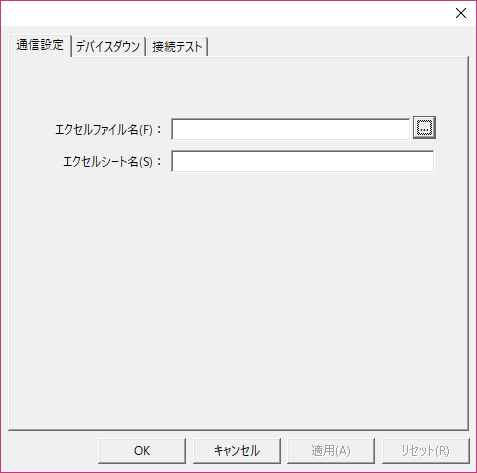
•Excel File Name
•Excel Sheet Name
|
Tag communication settings
|
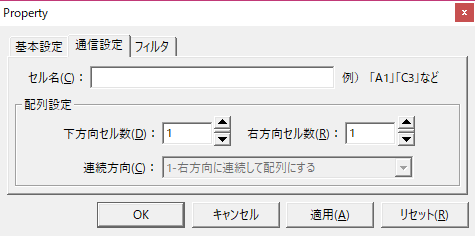
•Cell Name Specify the cell name, such as "A1" or "C3".
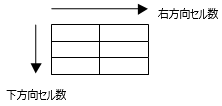
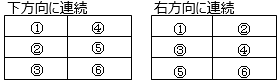
•Number of cells down •Number of cells in the upper direction This is the definition of the array. For example, if the number of cells below is 3 and the number of cells to the right is 2, it will be an array of 6.
•Continuous Direction
|