About the connection example
Please see below for an example of connection settings for this driver.
Applicable models etc. |
explanation |
This is an example of connection settings via Ethernet with the FX3 series.
|
Device List
The compatible devices are as follows (see here for how to view the device list).
device |
keyword |
Start address |
explanation |
unit |
reading |
Writing |
input |
X |
0000 |
Octal |
bit |
○ |
○ |
output |
Y |
0000 |
Octal |
bit |
○ |
○ |
Auxiliary Relay |
M |
0000 |
Decimal |
bit |
○ |
○ |
Special Relay |
MS |
8000 |
Decimal |
bit |
○ |
○ |
State |
S |
0000 |
Decimal |
bit |
○ |
○ |
Timer Contact |
TS |
000 |
Decimal |
bit |
○ |
○ |
Counter Contact |
CS |
000 |
Decimal |
bit |
○ |
○ |
Timer current value |
TN |
000 |
Decimal |
word |
○ |
● |
Counter current value |
CN |
000 |
Decimal |
word |
○ |
● |
Data Register |
D |
0000 |
Decimal |
word |
○ |
● |
Special Registers |
DS |
8000 |
Decimal |
word |
○ |
● |
Extended Registers |
R |
00000 |
Decimal |
word |
○ |
● |
Network setting parameters
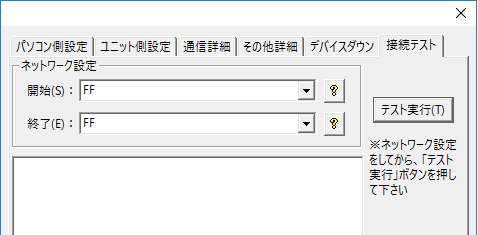
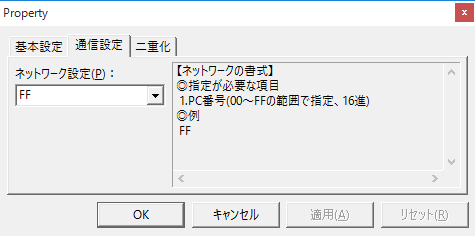
You can specify the "PC number" on the MC protocol in the following connection test dialog and folder network settings. However, this setting is provided in anticipation of future expansion of the FX specifications, so for now please leave it fixed to FF.
[Connection test dialog]
|
[Folder Properties] |