About user formats
This page explains the specifications for "user format" number formats.
In the user format, users can add their own formats by registering format settings in the NumberFormatConf root property.
You can also freely customize the behavior of the default format by overriding the system default format (@NUMBER), ISO format (@ISO), ANSI format (@ANSI), etc. in the user format definition.
|
User formats cannot be specified from Server Script 2 (SC2). |

User format specifications
■ Basic specifications
[@number format name]
Property name = Setting value
...
First, when defining a user format, enclose the numeric format name in [ ]. The format name written within [ ] must begin with "@".
Then, after the line that defines the number format name, write the property = setting value on each line.
If you want to add multiple formats, you can create a new section in [ ] and define them one after the other.
[@number format name 1] Property name = Setting value ...
[@number format name 2] Property name = Setting value ...
|
For details about the properties that can be specified for the number format, see "Number Format Property Format".
Setting example (NumberFormatConf root property)
For reference, here is an example of setting the NumberFormatConf property.
■ Example of customizing the system format "@NUMBER"
You can override the system format by defining a number format name with the same name as the system format "@NUMBER".
Here is an example of changing the behavior of QualityBad.
Example 1) |
To display a different string instead of QualityBad
With the above settings, the display of library parts when an error occurs will change as follows:
(Abnormal display before change)
(Abnormal display after change)
|
|
Example 2) |
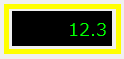
To display the QualityBad string as the final value when communication is successful
With the above settings, the display of library parts when an error occurs will change as follows:
(Abnormal display before change)
(Abnormal display after change)
|


|
The system defines each format as follows:
[@ANSI] Base=10
[@ISO] Base=10 DecimalSymbol=, SeparatorSymbol=$SP
[@BIN] Base=2 SeparatorGrouping=4 SeparatorSymbol=$SP
[@OCT] Base=8 SeparatorGrouping=4 SeparatorSymbol=$SP
[@HEX] Base=16 SeparatorGrouping=4 SeparatorSymbol=$SP
[@NUMBER] All=@LOCALE QualityBad=***
|
