overview
Array tags allow large amounts of data to be communicated with a single tag.
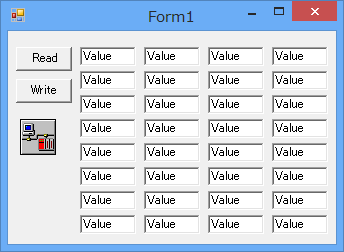
This sample is stored in:
setting
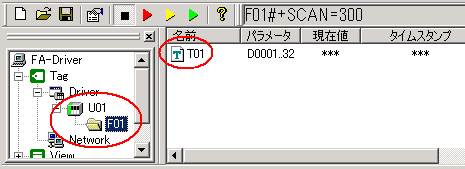
Tag configuration
1.Set the array tag "T01". For details on array tags, please refer to the "Tag Manual".
program
Describes the read and write operations.
●VB.Net
Private Sub btnRead_Click(ByVal sender As System.Object, ByVal e As System.EventArgs) Handles btnRead.Click Dim varValue As Object = Nothing Dim i As Integer If AxEng1.ReadVal("U01.F01.T01", varValue) Then For i = 0 To 31 txtVal(i).Text = CStr(varValue(i)) Next i Else For i = 0 To 31 txtVal(i).Text = "Error!" Next i End If End Sub
'writing Private Sub btnWrite_Click(ByVal sender As System.Object, ByVal e As System.EventArgs) Handles btnWrite.Click Dim varValue(32) As Double Dim i As Integer For i = 0 To 31 varValue(i) = CDbl(txtVal(i).Text) Next i
If Not AxEng1.WriteVal("U01.F01.T01", varValue) Then MsgBox("Fail to write. " & AxEng1.ErrMessage) End If End Sub |