How to read the manual
This chapter is for reference information only.
For construction procedures, please refer to "Terminating the Panel Server application" in the Monitoring System Construction Guide.
Features of this action
Shut down the application or OS.
When shutting down the OS, you can choose from a variety of patterns, including logoff only, restart, or forced shutdown.
Action Settings
The settings for this action are explained below.
Action specifications |
|
|---|---|
Parameters |
none
|
dialog |
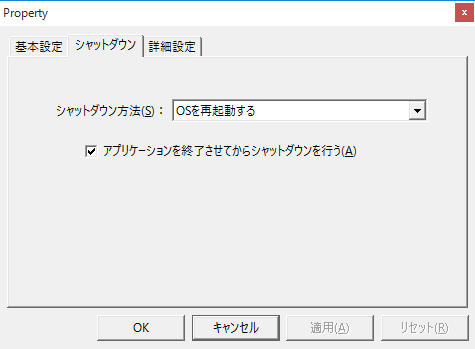
■Shutdown
▪How to shut down •Log off the OS •Log off the OS (forced) •Reboot the OS •Reboot the OS (forced) •Shutting down the OS •Shut down the OS (forced) •Shut down the OS and then turn off the power. •Shut down the OS and then turn off the power (forced) •Quit the application •Restart the application (requires continuous operation safety check)
|
|
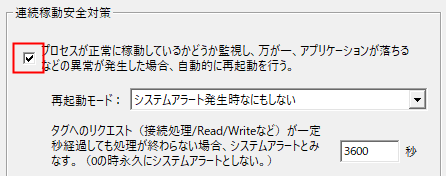
With the "Continuous operation safety" setting enabled in the Application settings, you can set this action to "Restart the application" using Scheduled event, for example, to restart Panel Server periodically.
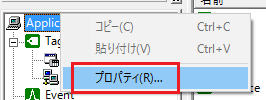
1.Open the properties of Application 2.Check "Continuous operation safety measures" in basic settings
For details on continuous operation safety measures, please refer to "Setting up for continuous operation".
|