overview
This reference manual describes the specifications of each control.
Basic controls include the "properties," "methods," and "events" that all controls have as "common specifications," as well as the "properties," "methods," and "events" of the "root object," which is the basic object. Part controls include the various controls that are primarily used by pasting them on the screen.
|
This reference manual contains common content for all of our products. Please note that due to the structure of the manual, it may contain descriptions of functions that are not included in the relevant product. Please also check the contents of "About the notation in the control reference". |

Samples are available that allow you to check the operation and configuration of each control.
The sample can be downloaded from below.
■How to use the sample
1.Download the control sample from the button above.
2.Unzip the downloaded file to any folder and open "controls.prj" in Panel Editor.
3.Click the button below on the toolbar of Panel Editor to start Panel Server. The server setting file for the control sample will be loaded and Panel Server will start.

4.Click the "Online Monitor" button on the Panel Server toolbar. Panel Server will become online.

5.Click the following button on the Panel Editor toolbar to run the browser and launch the control sample.

About the notation in the control reference
In this reference, whether each method supports "script action," "browser script," or "expression syntax" is noted in the following format.
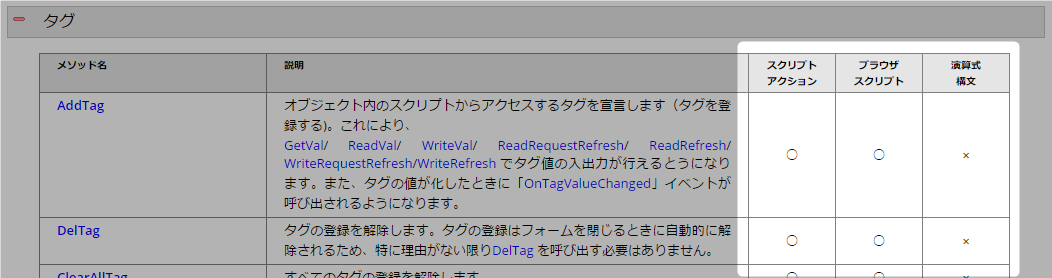
Script Actions |
It can be used with the Panel Server action function "Script Ver2 Action".
For part controls, only the following controls can be used: •Text dump control (TextDump) •Direct query database(SQL) control (DirectQueryDB) •Historical data control (DirectQueryDB)
Please refer to "Script Ver2 Action" for usage instructions.
|
Browser script |
It can be used as a script for each control when creating a screen in Panel Editor.
|
Calculation Expression Syntax |
This can be used in the binding format of each control when creating a Panel Editor screen.
|