overview
This chapter explains the specifications of date and time formats.
|
The date and time format explained in this chapter has specifications that differ from the "date/time format" used in the settings of various actions on the server side. For details about the specifications of the date format on the server side, see "Date/time format" in the Action section of this manual. Furthermore, for the ReportTitleDateFormat defined in the aggregation log section of the Summary Master of the Summary Action, you can specify the date and time format (free format) on this page. |

The date and time format is a format specification for specifying the format related to date and time. Examples of situations where you might specify a date and time format include specifying the format of the "clock part" in the parts library, setting the format of the date and time display specified in the screen library (for example, the date and time notation of a trend graph), or the date and time format passed to methods for date and time processing such as the CTimeToLocale (TL) method.
FA-Panel allows you to flexibly set the date and time format. In addition to displaying date and time in formats from around the world, you can also set your own format.
(Various date and time display using library parts)
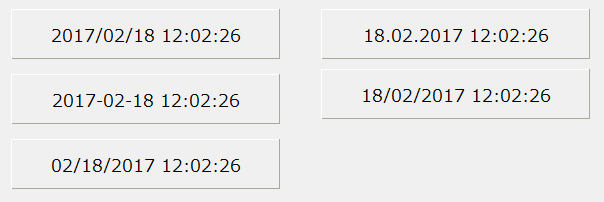
There are the following ways to specify the date and time format:
item |
overview |
||||||||||
System formats are formats that are pre-prepared within the FA-Panel system.
The following types of system date and time formats are available:
|
|||||||||||
User formats can be created by users by defining their own free formats.
User format definitions for date and time formats are registered against the DateTimeFormatConf root property.
Furthermore, you can freely customize the behavior of the default format by overwriting the system default format (@DATETIME) or ISO format (@ISO) in the user format definition.
|
|||||||||||
Free format is a method to directly specify the date and time format without using the system format or user format. With free format, you can freely set a format that is not bound by the OS or various settings.
Use the free format when you want to specify a special format on an occasional basis. For formats that are used commonly throughout the system, use the system format or user format.
|

|
If you omit the date and time format specification in date and time related methods, the behavior will be the same as if you specified the system format "@LOCALE" (regional format (auto-switching)) in the table above. |