Horizontal slider control

<< Click to Display Table of Contents >>

Manual > Control Reference > Basics >

Horizontal slider control


Horizontal slider control (HorizontalSlider)


A slider control allows you to change the value between a maximum and minimum value by moving the tracker (a button on the bar) with the mouse.


cr_0063


Slider Type


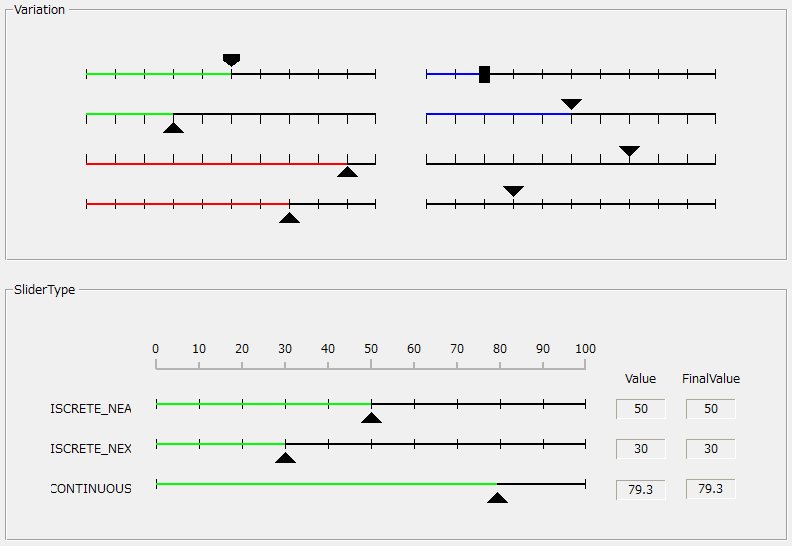
There are three types of sliders: The type of slider is set by the SliderType property.


■ CONTINUOUS

A slider for continuous values (including decimals), the tracker can be moved freely.


■ DISCRETE_NEXT

A slider for non-continuous values (1,2,3... etc.). The tracker always points to the scale.

When you click on the bar, the next value will be selected (for example, if the current value is 1, then 2 will be selected).


■ DISCRETE_NEAR

A slider for non-continuous values (1,2,3... etc.). The tracker always points to the scale.

When you click on the bar, the value closest to the scale is selected.


About Value and FinalValue


The slider now has two properties for its value: Value / FinalValue.

The Value property constantly changes while you grab and drag (slide) the tracker with the mouse.

FinalValue does not change during sliding, but changes when you release the mouse button after dragging.