Screen display call (function button)
|
The screen display call function button is a component that has a built-in function for displaying a specified form. |
By specifying the name of the form you want to display in the Target Form property, the form will open when you click the button.
Custom Properties
setting |
caption |
_Text |
Specify the string to be displayed on the button. |
Target form |
_TargetForm |
Specify the name of the form you want to call. |
|
Target View |
_TargetView |
Specifies the name of the view in which the form will be displayed. •Default View: Follows the setting of the root DefaultView property. •View of form with button placed...Switches the display of the form with the button placed. •View specified below: You can specify the view name directly. |
|
Open parameters |
Open parameters |
_OpenParam |
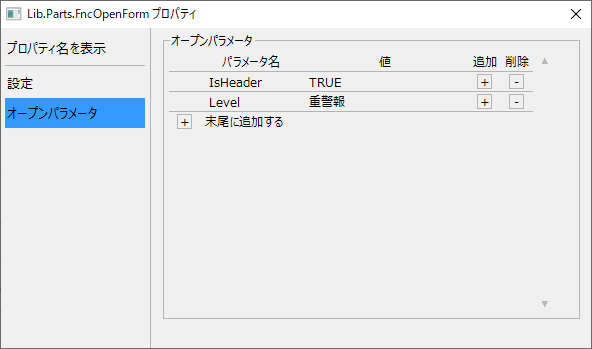
You can call a form by specifying open parameters. If you want to pass parameters to a screen library, set them in this property.
Although the open parameter settings can be entered directly from the property page, they can also be easily registered from the settings dialog of this part.
(Property Settings Dialog)
|
|
This component uses the root method "OpenViewForm". |
