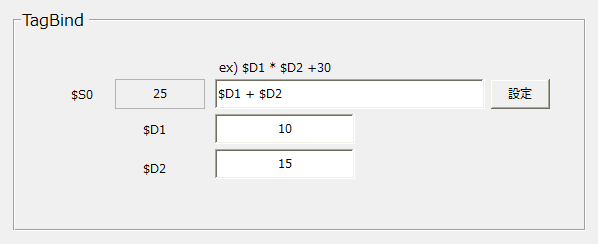
Tag bind control (TagBind)
Typically, binding is used to link tag values or conditions that combine tags to the properties of each control, but Tag bind control allows you to bind to tags instead of properties.
For example, if you bind an expression using $D1 and $D2 to $S0, the value of $S0 will be the result of the expression based on the values of $D1 and $D2.
The tag being written to ($S0 in the above example) is called the target tag. You can set the input binding format for each target tag.
You can set multiple target tags. Target tags usually includebrowserSpecify the tag (the tag in the browser).
Do not specify a tag that communicates with a PLC (a tag in the server) as the target tag for the following reasons:
1) If values change frequently, they will be written to the server each time, which can increase the load. 2) In a multiple client (multiple browser) configuration, each client writes to the server.
*However, in the case of a browser that runs exclusively for server-side processing (only one process runs on the server PC and there is no GUI), there is no problem using a tag that communicates with a PLC as the target tag.
|