Getting Errors
If an error occurs during communication processing, you can find out the details of the error in the following three ways (for further details, see "Function Description").
Get by Error property
If a method call such as ReadVal or WriteVal fails, an error code and message will be stored in the following property. You can find out the error code and message of the error that occurred by referencing this property.
Eng1.ErrCode
Eng1.ErrMessage
Acquisition by error event
When an error occurs, the error event (ErrorOccured) is called.
The error code and message passed to the event will tell you what the error was.
●VB.Net
Private Sub AxEng1_ErrorOccured(ByVal sender As Object, ByVal e As AxFAENGINELib5._DFAEngineEvents_ErrorOccuredEvent) Handles AxEng1.ErrorOccured txtCode.text = e.code txtError.text = e.message End Sub |
Acquisition via log file
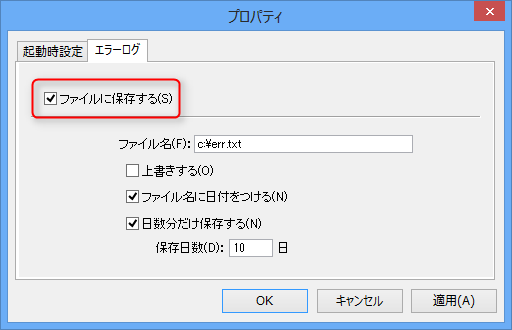
Depending on the settings, you can save the history of errors that occur in an error log file.
This setting is set in the properties of ActiveX (FAEngine6.ocx).