What is the visual theme name?
Several visual themes, such as "GRAY_3D", "GRAY", and "BLACK", are pre-installed in the system as standard (you can also freely add new themes).
Here, the names given to visual themes, such as "GRAY" and "BLACK", are referred to as "visual theme names".
(Select visual theme name)
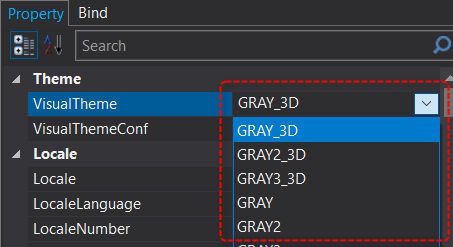
VisualTheme property (Root > Form)
The most important property in a visual theme is the "VisualTheme" property.
The VisualTheme property is available for both root and form. You can dynamically switch visual themes by setting the visual theme name to the desired VisualTheme property.
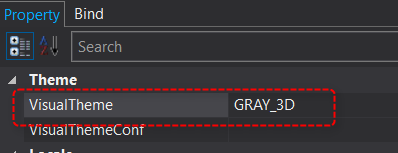
■VisualTheme (root property)
The root VisualTheme property specifies the system-wide theme. The default theme is "GRAY_3D".
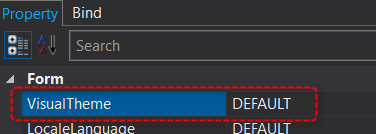
■VisualTheme (form property)
By specifying the VisualTheme property of a form, you can specify a theme for the form alone without having to be aware of the root VisualTheme.
By default, "DEFAULT" is set, which follows the root theme.
The form's VisualTheme is used when you want to use a different theme for each form, for example, when you want to display only one screen in black and other screens in gray.
■Example of changing VisualTheme
As an example, we will assume that the following settings are made:
•VisualTheme (root) - GRAY_3D
•VisualTheme (Form) - DEFAULT
Let's add a button to the form.
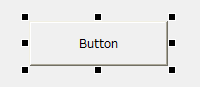
In this state, if you change the root VisualTheme to "BLACK", the display of both the form and the button will change simultaneously, as shown below.
The buttons are now displayed flat, and both the form and the buttons have been changed to a black color.

In this way, you can dynamically change the display color by changing VisualTheme.
You can also change the VisualTheme property even when running in Panel Browser. If you set the name of the visual theme you want to change to the VisualTheme property from a script, the theme will be changed dynamically.
(Script example)
event OnMouseUp(button)
{
	::VisualTheme="GRAY_3D";
}
Display color definition for each control (@color format name)
In order to dynamically change the display color of the color attribute property of each control according to the change of visual theme, the color attribute property of the target control must be set with the @color format name of the visual theme.
For example, if you paste a button onto a form and check the color-related property settings on the property page, you will see that they are set as follows:
(Button control's Fill display color)
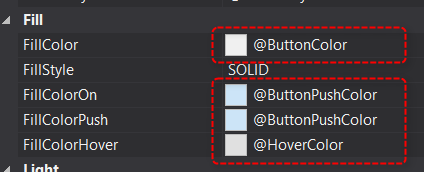
In the image above, the color property settings with names beginning with "@" such as "@ButtonColor" and "@ButtonPushColor" are @color format names defined in the visual theme. These display colors are dynamically replaced with the RGB value of "@ButtonColor" defined in each visual theme when the visual theme is switched.
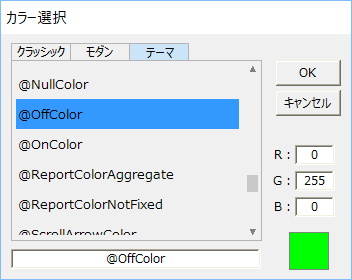
In addition, in the properties of various color attributes, you can check the RGB values (numeric values) of the theme color format and the actual colors from the following dialog box for setting colors.
(Theme tab of the color selection dialog)
|
@Color format name can also be specified when switching display colors using binding. |
