overview
FA-Panel monitoring screens are created using Panel Editor.
Screens created with Panel Editor are saved as configuration files and executed by Panel Browser to display the monitoring screen.
(Panel Editor)
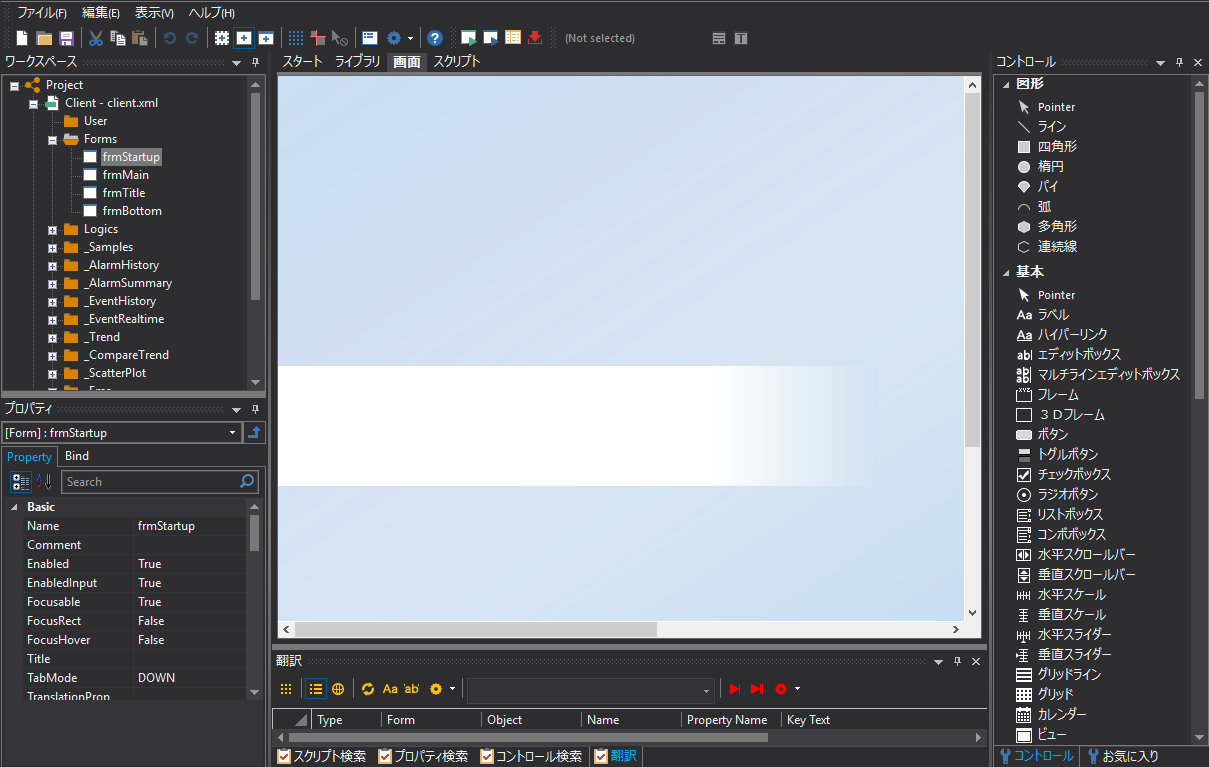
When creating a screen using Panel Editor, you select and paste pre-prepared parts onto the base of the screen called a "form" (think of it like a canvas for a painting), then configure the pasted parts to give them movement. The main configuration tasks include assigning tags to parts (called "binding") and specifying the text and color to be displayed.
This chapter explains the knowledge required to build a monitoring screen system with FA-Panel, including matters related to building client-side applications with Panel Editor. It describes how to draw the screen, how to operate Panel Editor, detailed specifications for binding, scripts, etc.
This section explains the following:
theme |
Contents |
This article explains the basic operation of Panel Editor. It explains the Panel Editor screen, how to use the start page, and how to operate projects and files.
|
|
This article explains how to edit with Panel Editor. In addition to explaining the basic operation of Panel Editor, it also introduces useful operations and editing methods to know when editing controls, such as rules for forms and folders, how to use grids and guides, and grouping objects.
|
|
This section explains advanced editing operations in Panel Editor. In addition to the search and replace functions (property search, script search, object search) provided by Panel Editor, we will also introduce how to use the mini property box.
|
|
This section explains how to edit basic controls such as lines and rectangles, and how to edit frequently used properties.
|
|
This article will introduce tips on how to draw symbols by combining basic controls. It will explain how to draw symbols such as valves, pumps, and drums.
|
|
This section explains how to use the parts library.
|
|
This section describes how to use the screen library.
|
|
This section explains how to use the frame library.
|
|
This is a summary of screen design features. It includes information on how to use the visual theme function and how to customize themes, as well as how to use system resources such as icons and sound files that are pre-installed in FA-Panel, and an introduction to the animation function.
|
|
Detailed information about binding. Explains the specific method for setting the bind for components pasted on the screen, the bind format specifications, etc.
|
|
Detailed information about scripts. This section provides an introduction to the basics of script writing and procedures, as well as more specific writing methods, the concept of objects and how to reference them, and the script language specifications.
|
|
There are several variations in how the form (screen) is displayed. This section describes each variation and how to display each one.
|
|
This is information about internationalization of screen display. It explains how to set the number format and date and time format (locale) according to the country of the installation, and the translation function of Panel Editor.
|
|
|
|
Browser tag is a tag that can only be used on the Panel Browser side. |