About the script search function
This article explains how to search for scripts in Panel Editor.
Script search allows you to search scripts for any keyword and replace any occurrences of the keyword with any string.
For details on each operation method, please see below.
Script search and replace operations
■ Displaying the script search screen
To perform a script search, select Script Search from the tabs displayed in the Script view.

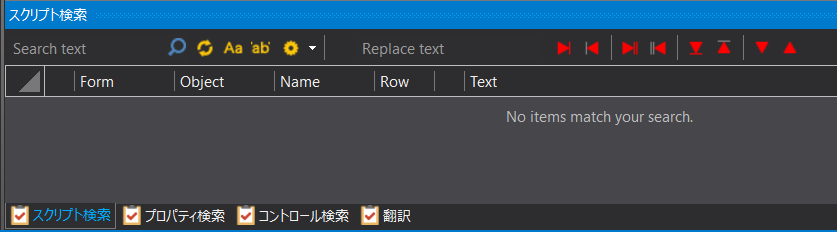
This will switch the search view to the script search screen. Various script search operations can be performed from the following screen.
(Script search screen)