What is a background form?
One special way to use a form is as a "background form."
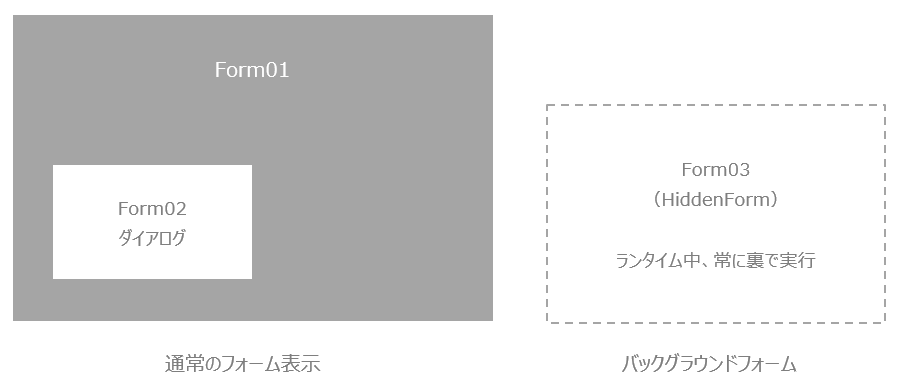
If you set a form as a background form, you can have the form always run invisibly, separate from the normal screen display. This form is always open invisibly while Panel Browser is running. You can use it to place controls or scripts that you want to run all the time, in the same way as a route.
The method for creating a background form is the same as for creating a normal form. Specify the name of the form you want to use as a background form in the root "HiddenForm" root property, or set the "HiddenForm" property (default is False) available for each form to True, and the form will automatically be opened as a HiddenForm at run time and will function as a background form.
You can also open a form as a background form by calling the OpenHiddenForm method from a script. For example, when you are writing a script to execute a process at system startup, and you need to strictly maintain the order in which background form objects exist for the convenience of the flow of the process you want to execute (for example, when the startup load order cannot be guaranteed just by setting the form's HiddenForm to True), you can manually add a background form with the OpenHiddenForm method.
|
The background form will always be open while Panel Browser is running. It can be used in the same way as the root, and the control objects attached to the background form will always exist, so it can be used as a place to place controls that you want to run all the time. Specifically, you can place Sound control to play a sound, Remote alarm client control to constantly monitor the alarm status, etc. (The root object is also an object that always exists, but the root cannot have control objects as child objects.) |
