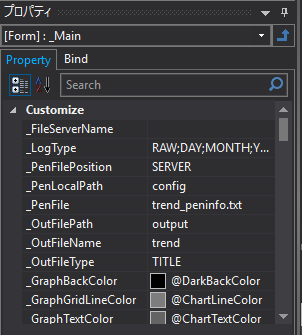
About custom properties in screen libraries
Each screen library is made up of multiple forms, and the main screen of each function is always built with a form named "_Main". The "_Main" form has custom properties for the settings that need to be set when using the function, as well as various settings related to basic appearances such as display colors. You can change the settings of the screen library by editing the settings of these custom properties.
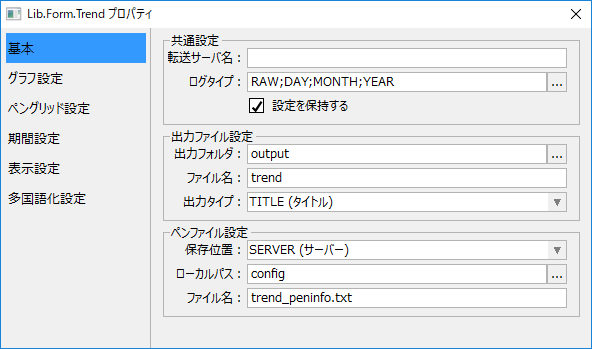
You can edit the custom properties of the screen library from the settings dialog that appears when you double-click the "_Main" form in Panel Editor.
(Example of property setting dialog)
Alternatively, you can display the properties of the "_Main" form in the property view of Panel Editor and change the values directly.
(Property view example)