About the Screen Library
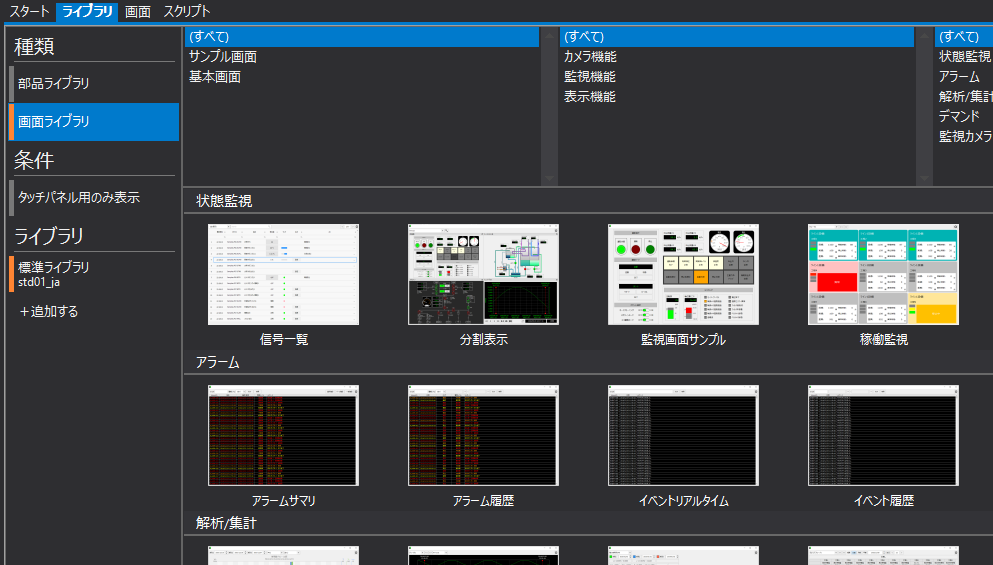
The screen library includes alarm monitoring, trend graphs, scatter plot graphs, demand monitoring graphs, etc.The main functions that are highly required for monitoring screens are stored in a library for each screen.is.
Highly sophisticated functions are modularized and can be used with just simple settings.
(Panel Editor / Library tab / Screen Library selection)
How to use the Screen Library
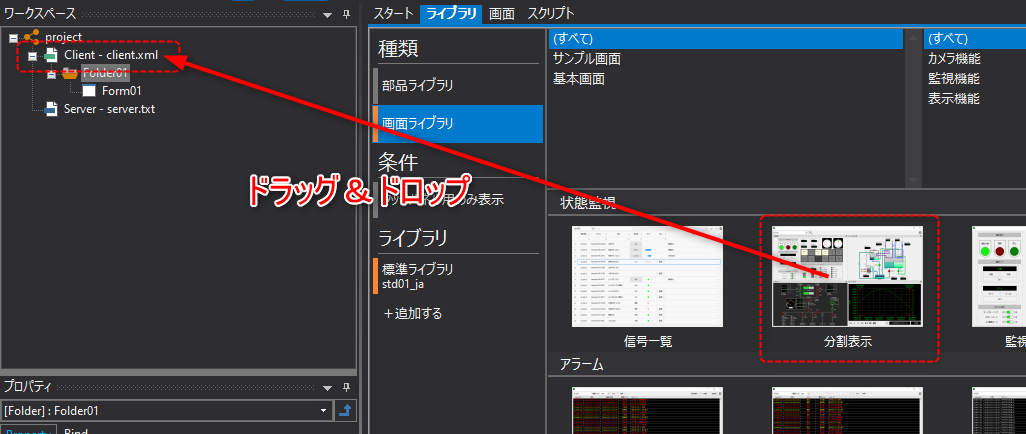
In standard functions such as the standard framework, various functions of the screen library can be pre-integrated and used. In addition, if you want to add a screen library to your own project, you can easily import and use it by simply selecting the screen library of the desired function in Panel Editor and dragging and dropping it.
(Image of built-in screen library)
For information on how to manually include the screen library, see "Using the Screen Library".
Screen Library Main Form
In a client setting file that has a built-in screen library, a folder is created for each screen library, and in most cases, a form named "_Main" is stored in it.
This form is called the main form of the screen library, and is displayed when you call up the screen library.
(Alarm Summary Screen Library folder and main form)
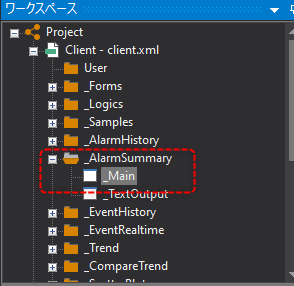
When using the OpenForm part (screen call button) from the parts library or the OpenForm method from a script to display the main form of the screen library, specify the name of the target form to be called in the format "folder name.form name". For example, for an alarm summary, specify "_AlarmSummary._Main".
For the folder names and main form names of each screen library, please refer to the list in "Screen Library Reference".
|
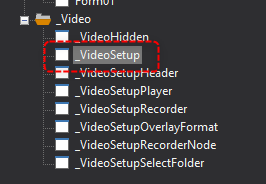
The Camera Registration Screen Library is a library of setting screens for camera registration. In the Camera Registration Screen Library, the main form is named "_VideoSetup".
(Main form of the camera registration screen library)
|

Screen Library and Destination Actions
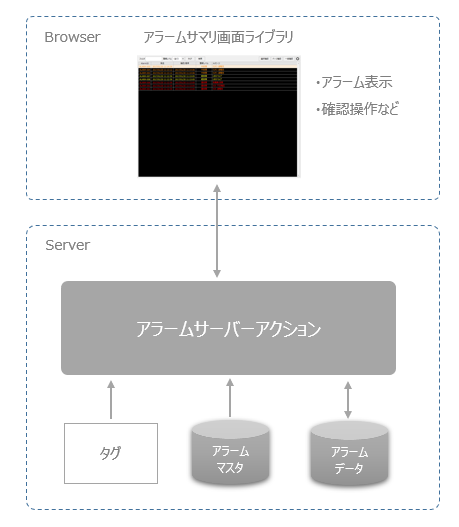
Most screen libraries work by connecting to actions on the Panel Server side at runtime.
For example, the alarm summary screen library connects to the Alarm server action running on the Panel Server side to display alarm information. Therefore, when using a screen library, it may be necessary to define the action to which it is connected. The actions to which each screen library is connected are listed in the screen library reference.
(Example of an alarm screen library)
|
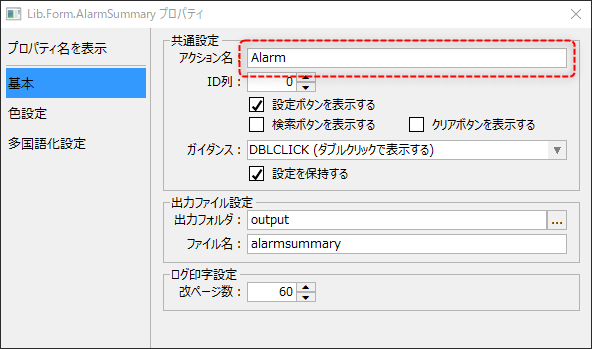
For example, in the case of the alarm summary screen library, specify the destination Alarm server action name as the action name (_ActionName custom property).
(Screen library setting screen example)
|