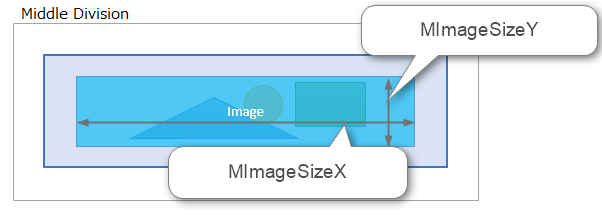
When designing the layout of a side Menu control, you need to understand which parts are affected by the settings of each property and menu item property.
We will explain the layout of the side Menu control by area.
Control Area
The size of the side Menu control placement (paste) will be the control area. This will be the size of the entire menu.
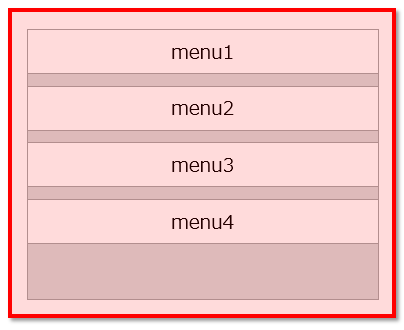
Menu Area
This is the area that displays the menu items.
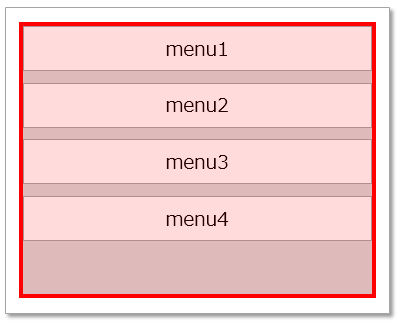
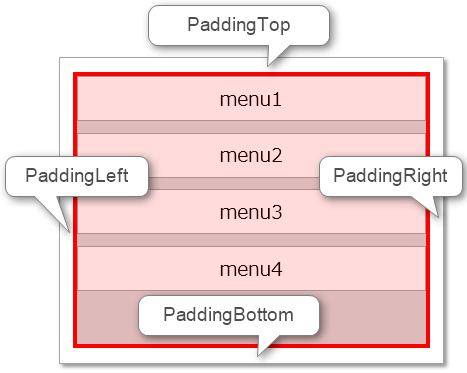
The size of the gap between the control area and the menu area can be specified in the "PaddingTop/PaddingBottom/PaddingLeft/PaddingRight" properties of the control properties.
The menu area also contains multiple item areas, and you can specify how many columns to display them in using the "Cols" property in the control properties.
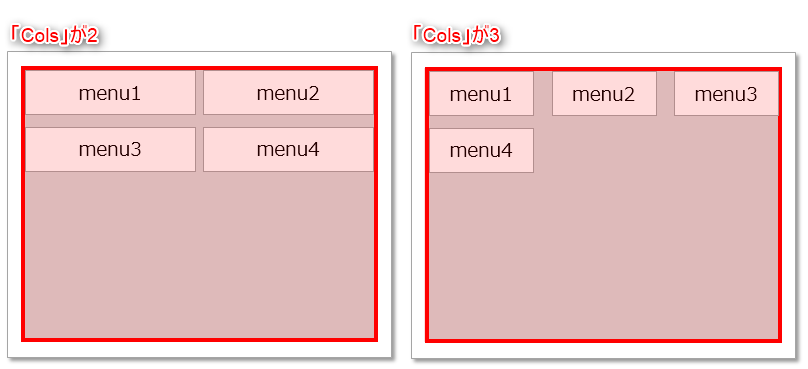
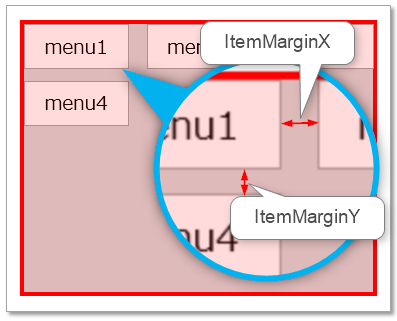
If "Cols" has multiple columns, specify the spacing between item areas in the "ItemMarginX/ItemMarginY" properties of the control properties. The width of the item area is automatically determined from these properties.
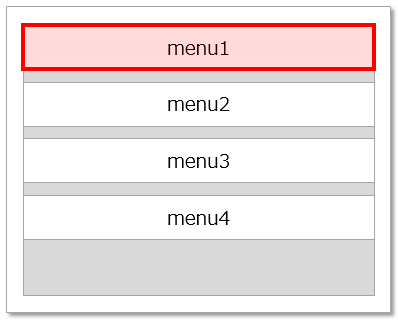
Item Area
This is the area where the menu items are displayed.
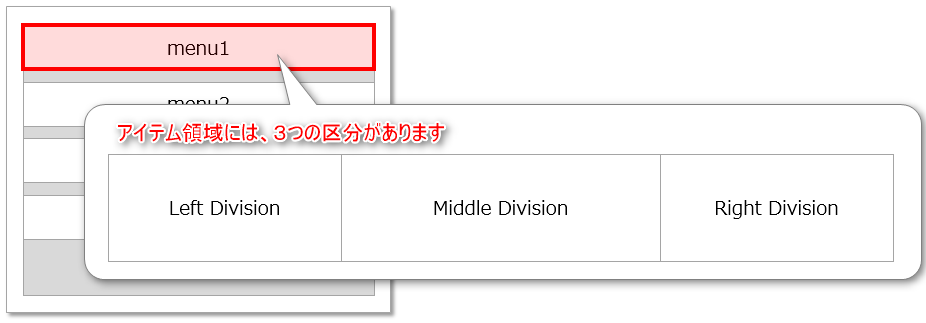
The item area is divided into three sections: Left Division( Left division, /Middle Division( Center division, /Right Division( Right division).
Content Area
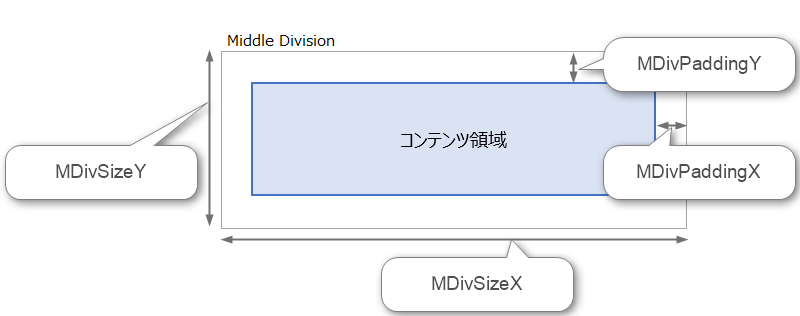
The attributes and size of each division are determined by the "Menu Item Properties". Each division has a content area where the actual menu items (icons and text) are displayed, and the size of the content area is determined by the settings of the menu item properties "(L/M/R)DivSizeX/(L/M/R)DivSizeY" and "(L/M/R)DivPaddingX/(L/M/R)DivPaddingY". The image below shows the Middle and Division divisions.
Content Position
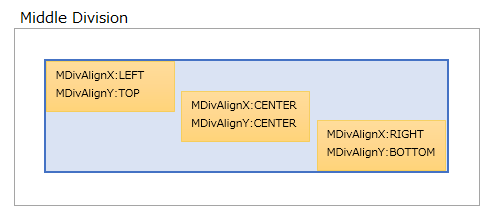
The position (Alignment) of the content displayed within the content area is determined by the "(L/M/R)DivAlignX" and "(L/M/R)DivAlignY" properties of the menu item properties. In the example below, the content displayed in the Middle Division content area can be positioned using the "MDivAlignX/MDivAlignY" properties.
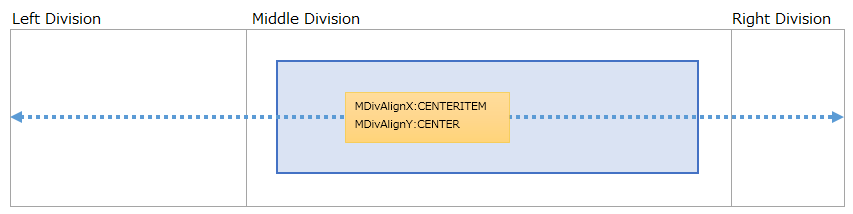
Also, if you specify "CENTERITEM" for "(L/M/R)DivAlignX", the center of the item area will be the content display position.
Content Type
The content to be displayed in the content area is determined by the "(L/M/R)DivType" property of the menu item properties. The following content types can be specified for this "(L/M/R)DivType" property: "TEXT( String)", "BAR( Menu Selection Status Bar)", "IMAGE( Image)", "CHECK( Check)", "COUNTER( Number)" and "HYPERLINK( Hyperlink)". The type of menu item property for the content area differs depending on the content type.
For example, if "MDivType" is set to "IMAGE", you can specify the image size by setting the menu item property "MImageSizeX/MImageSizeY". However, if "MDivType" is set to "TEXT", the setting of this property will not be used.