Describing alarm conditions using tag access paths
Alarm serverIn the "Alarm Master" tab of the action configuration dialog, you can set the tag access path and tag direct path mark.
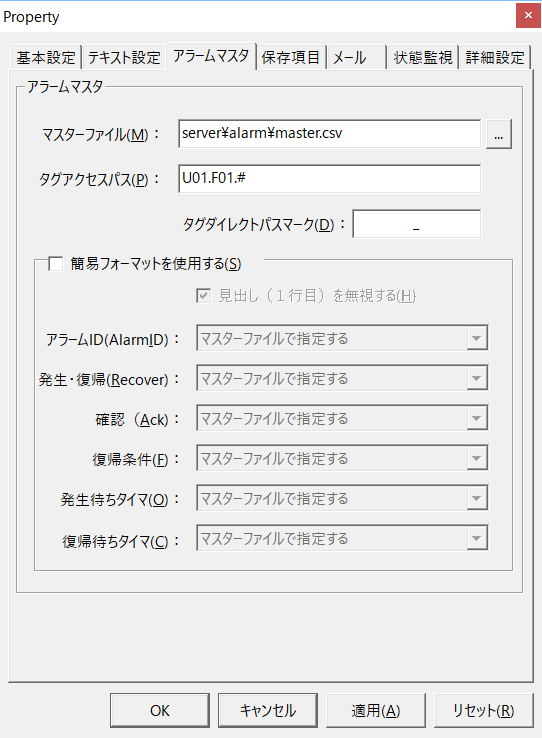
If you specify a tag access path, you can omit the initial string of all tag names used within the target alarm master.
For example, if the access path is "U01.F01.", the occurrence condition "(U01.F01.M0000 || U01.F01.M0001) && U01.F01.M0002" will be omitted at the beginning and become "(M0000 || M0001) && M0002".
When you specify a tag access path, the access path string is always added to the beginning of the tag name. Therefore, if you do not want to add the access path string to only a specific tag, you can do so by adding a tag direct path mark to the beginning of the tag name.
Example) _U01!Alive
The default value for the tag direct path mark is "_" (underscore), but if "_" is used in the tag name, the alarm condition will not be recognized correctly. In such a case, you can avoid this by specifying an unused string other than "_" in the tag direct path mark setting.