Trend graph display using historical trend graph
Summary actions can be linked with Histrical data graph control.
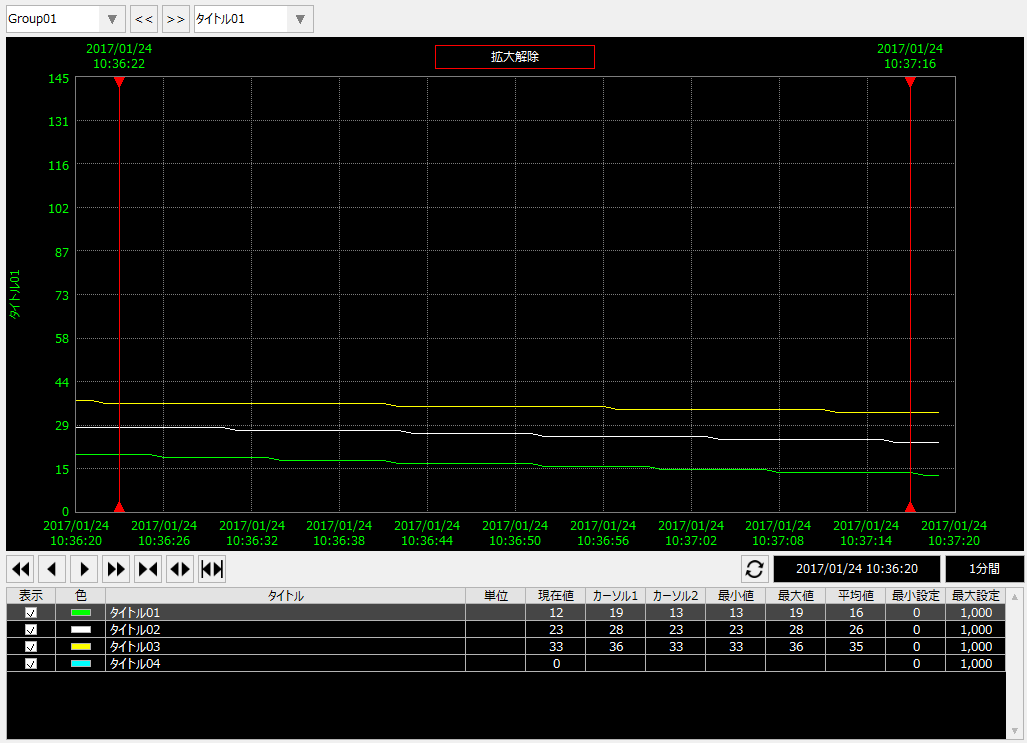
Trend graph screens are built into the standard framework of the Frame Library, and you can also use trend graphs from the Screen Library. These standard functions are built using Histrical data graph control. You can also create your own trend graph screens from scratch using Histrical data graph control.
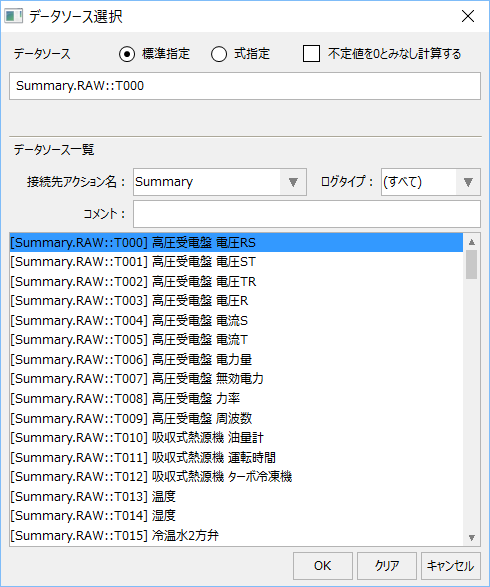
Fields defined in the summary action can be selected from the trend graph's data source selection dialog.
|
For more information about trend graphs in the screen library, see "Trend Graphs".
|
