overview
In this chapter, we will explain the "Report Function", one of the four major functions of Summary Action.
The reporting functionality is for creating aggregate reports (Daily/Monthly/Yearly Report aggregate reports) and is provided by summary actions (Panel Server) and summary report grid controls (Panel Browser).
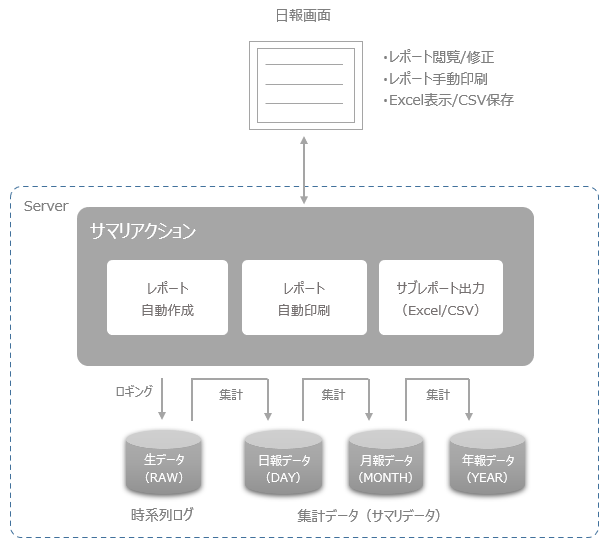
●The role of Panel Server
Panel Server automatically uses aggregation processing based on historical data (raw data) logged by summary actions to generate aggregated data for Daily/Monthly/Yearly Report. In addition, if necessary, you can automatically print reports at the aggregation timing of Daily/Monthly/Yearly Report, or automatically output report data as CSV or Excel files (sub-report function).
In addition, by combining this with other Panel Server actions (such as the Send mail action or the FTP send action), you can also deliver CSV or Excel files that are automatically generated by the subreport function.
●The role of Panel Browser
You can connect to summary actions on Panel Server via Summary report grid control and view, modify, and print reports.
|
The "Daily Report" (report screen) in the screen library is built using the "Summary Report Grid Control". By using the screen library, you can use the summary report screen as is. Please consider using the screen library when using this function. |

|
The set of Daily/Monthly/Yearly Report summary processing and report generation function by layout master is collectively called "report function". The summary processing of daily summary, monthly summary, and yearly summary performed to create Daily/Monthly/Yearly Report is the same function as that described in "Summary Function". |
About Layout Master Files
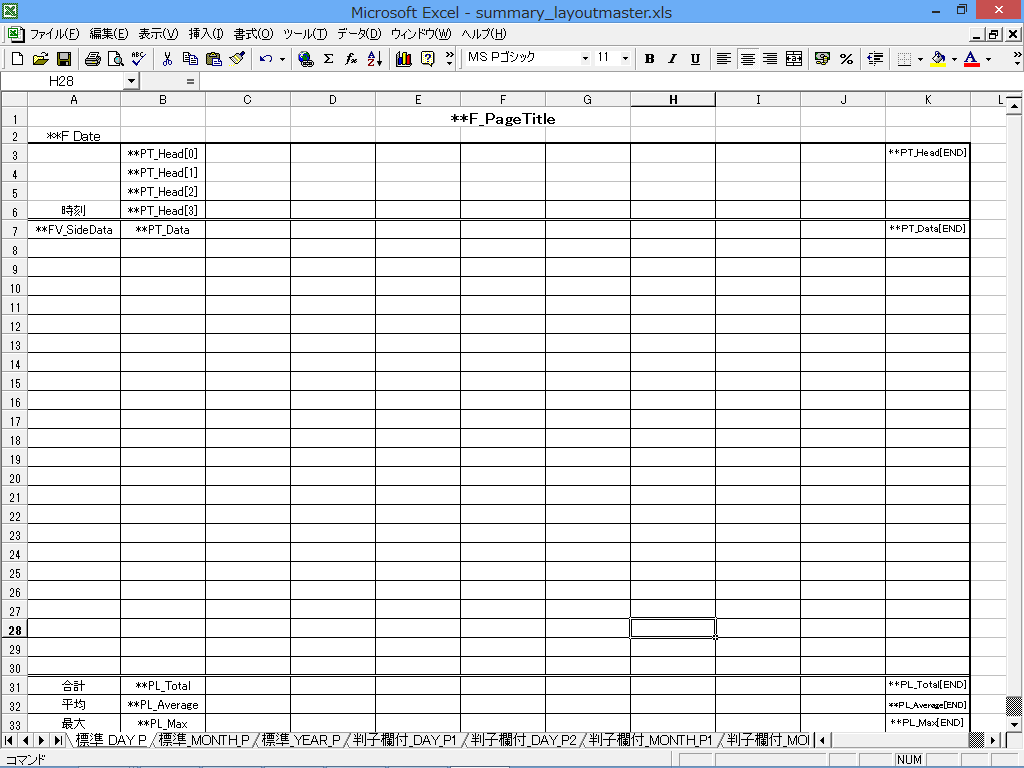
The print layout of Daily/Monthly/Yearly Report is designed by defining a "Layout Master". A Layout Master is a Microsoft Excel file itself, and must be created by Excel. The Layout Master can be changed to your preferred layout, including paper size, number of columns, character format, and borders, as needed.
For more information about layout masters, see "Layout Master".
(Layout master image)