Daily Report
How to read the manual
This chapter is for reference information only.
For the main part, please refer to "Daily Reports" in the Surveillance System Construction Guide.
overview
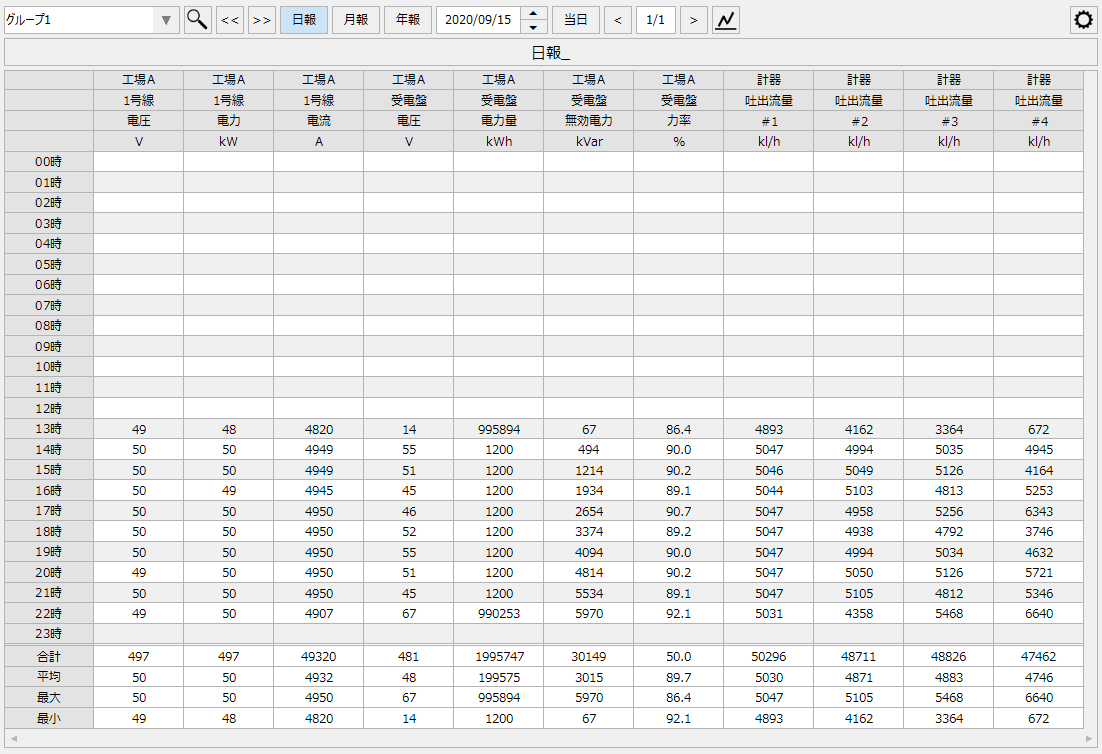
This screen library is a library for displaying a list of Daily/Monthly/Yearly Report summary data (report data) logged and aggregated by summary actions on the screen as a report screen. It is possible to manually edit the summary data from the screen, print reports to a printer, generate Excel reports, and save report data in CSV. In addition, the page layout settings for the report data displayed on the screen (page configuration of the report, column definition for each page) can be freely edited from the screen during operation.
Please refer to the links below for more details.
|
|
Connected Action
Destination Action Name |
explanation |
|
|
This is an action for logging and tallying. This screen library connects to the summary action to obtain and display the aggregated data of Daily/Monthly/Yearly Report.
|
|
This screen library only supports summary actions. It does not support the "Daily/Monthly/Yearly Report" action. |
