About application settings for Panel Server
In the Panel Server application settings, you can configure Panel Server's environment, such as setting safety measures to ensure the continuous operation of Panel Server, system settings, and environment variables.
Settings tab |
Contents |
|
|
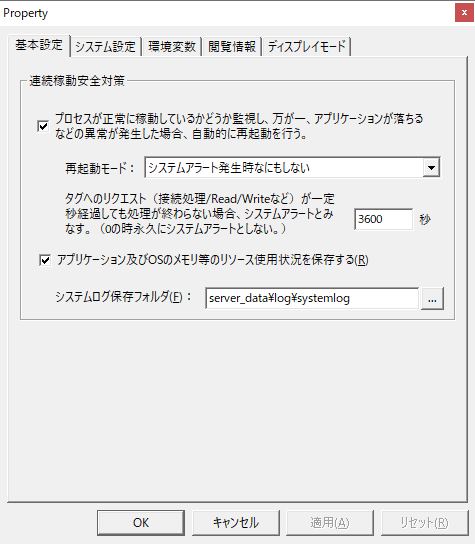
Panel ServerSet up safety measures for continuous operation. |
|
|
This is where you set the application root folder, etc. |
|
|
You can define environment variables for Panel Server. Defining an environment variable allows you to define configuration values, such as IP addresses, in an external file. |
|
|
Panel ServerConfigure your browsing information. |
|
|
You can set whether to retain the display position and state of each view displayed on Panel Server. |
Application settings for Panel Server are configured from the application property settings dialog.
(Application Properties dialog)
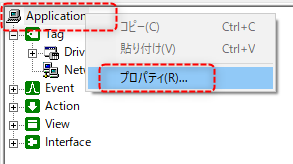
To display the application property setting dialog, right-click "Application" in the tree view to display the menu and select "Properties".