About form names in frames
The Name / BaseFormName / FormName parameters of FRAME are similar to the first three arguments of the OpenDialog method used to display a dialog.
Name is the view name given to the frame. The view name is the name specified when you want to switch the form displayed in each frame using the OpenViewForm/SetZoom methods, etc. Additionally, BaseFormName is the name of the original form to be displayed in the frame. The original form name is the form itself created in Panel Editor. Additionally, FormName specifies the name of the form object when the form is actually displayed in the frame.
Example) Open Form03 as FrameForm03 in a frame with the view name "Frame1".
::OpenViewForm ("Frame1", "Form03", "FrameForm03"); |
When referencing the form from a script, use the name specified in FormName.
Example) Referencing from a script when "FrameForm1" is specified for FormName
::FrameForm1.FillColor = "#FF0000"; |
This form name (FormName) cannot be duplicated among all currently open forms, including dialogs and View control.
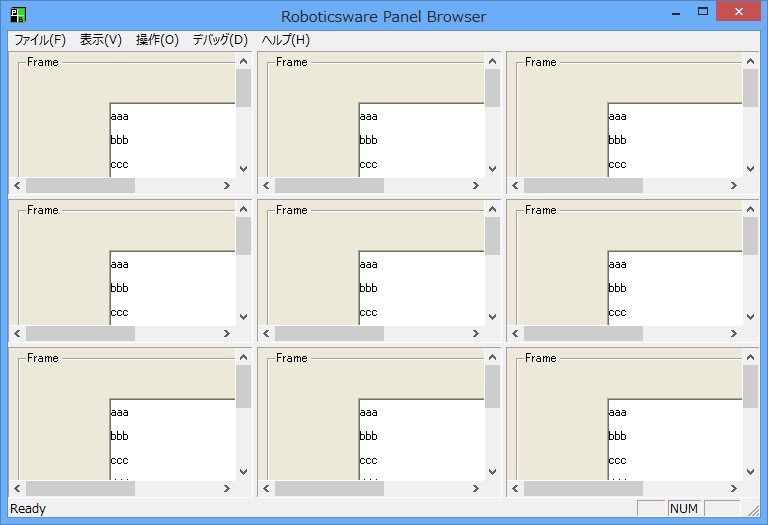
In addition, if you specify a different form name (FormName) for the same original form, you can open the screen of the same original form (BaseFormName) in multiple frames simultaneously, as shown below.
Example) Displaying the same original form in nine frames simultaneously