Reference Control
When multiple control objects are selected at the same time, one of the selected objects becomes the "reference control."
Below, three control objects are currently selected. When multiple objects are selected, four square handles are displayed on each object to indicate that it is selected. Among these, there is always one object whose handles are blue. This object is the "reference control."
(The center circle is the "reference control")
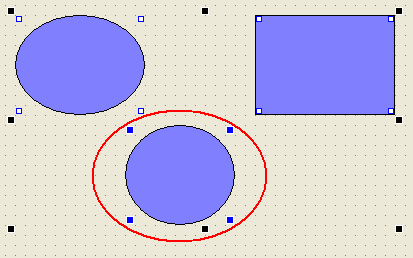
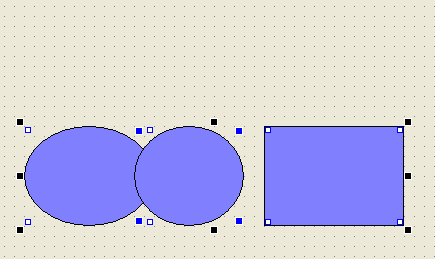
For example, in this state, if you select "Align Top" from Arrange/Align, the Top of each object will be aligned to the top position of the reference control.
(If you execute "top alignment" it will look like this)
Change the reference control
If you want to change the reference control while multiple items are selected at the same time, follow the steps below.
1.Temporarily deselect the object you want to use as the reference control (hold down Ctrl and click with the mouse).
2.Add the removed object back to the simultaneous selection (same as above).
This action automatically makes the last selected object the reference control.
|
If multiple objects are selected simultaneously using range selection with the mouse, the object at the front of the selected objects will become the reference control. |
