Adding and renaming forms
Form operations (add/rename/delete) can be performed from the workspace view.
|
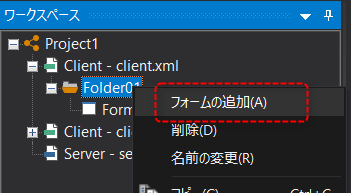
To add a form, right-click the desired folder to display the menu and select "Add Form".
|
|
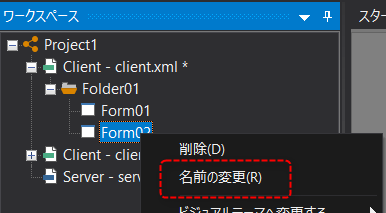
To change the name of a form, right-click on it to display the menu and select "Rename".
Alternatively, you can edit the name by pressing the F2 key with the target form selected.
|
|
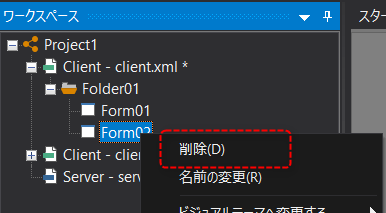
To delete a form, right-click on it to display the menu and select "Delete".
|
Adding and Renaming Folders
Folder operations (add/rename/delete) can be performed from the workspace view.
|
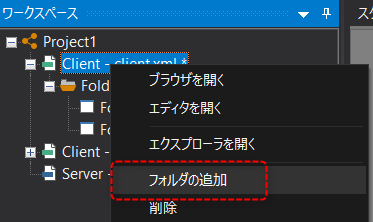
To add a folder, right-click the target client to display the menu and select "Add Folder".
|
|
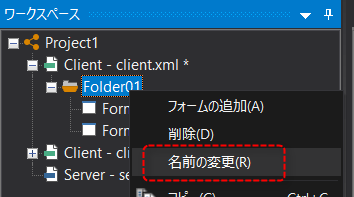
To change the name of a folder, right-click on it to display the menu and select "Rename".
Alternatively, you can edit the name by pressing the F2 key with the target folder selected.
|
|
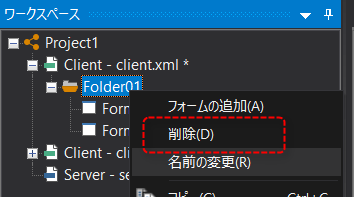
To delete a folder, right-click on it to display the menu and select "Delete".
|