About the Demand Report Layout Master
A summary action named "DemandSummary" is already registered in the server configuration file of the standard project.
One of the configuration files for summary actions is a configuration file called "Layout Master." Layout Master is a Excel file that defines the layout used when printing a report (Daily/Monthly/Yearly Report).
The layout master for the "DemandSummary" action is stored below.
(Project folder) \server\demandsummary\layoutmaster.xls
The layout master for the demand report can be edited in the same way as for the daily report screen. For details on editing the form layout on the daily report screen, please refer to "Editing the form layout".
Demand report layout
The Demand Report comes with two layouts: Standard and Demand.
In most cases, these layouts can be used as is. If you need to change the layout for some reason, see "Editing the report layout" on the Daily Report screen.
■ Standard layout
|
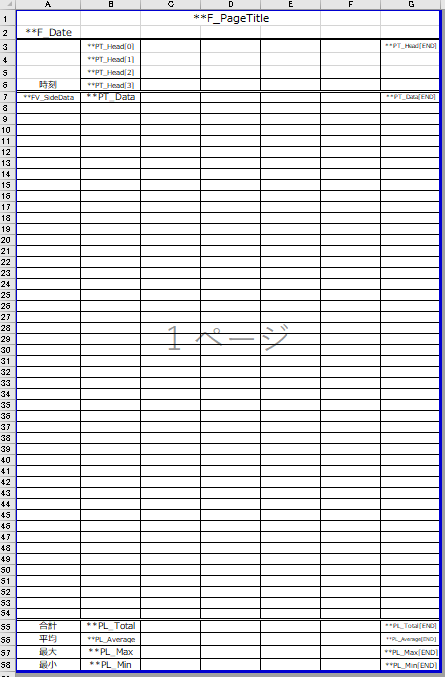
The standard layout is a typical daily report format.
A normal daily report layout has one line per hour, but the demand report is calculated in 30-minute intervals, so it has more lines than a normal daily report. Therefore, this layout is designed to be printed on A4 portrait paper. |
■ Demand layout
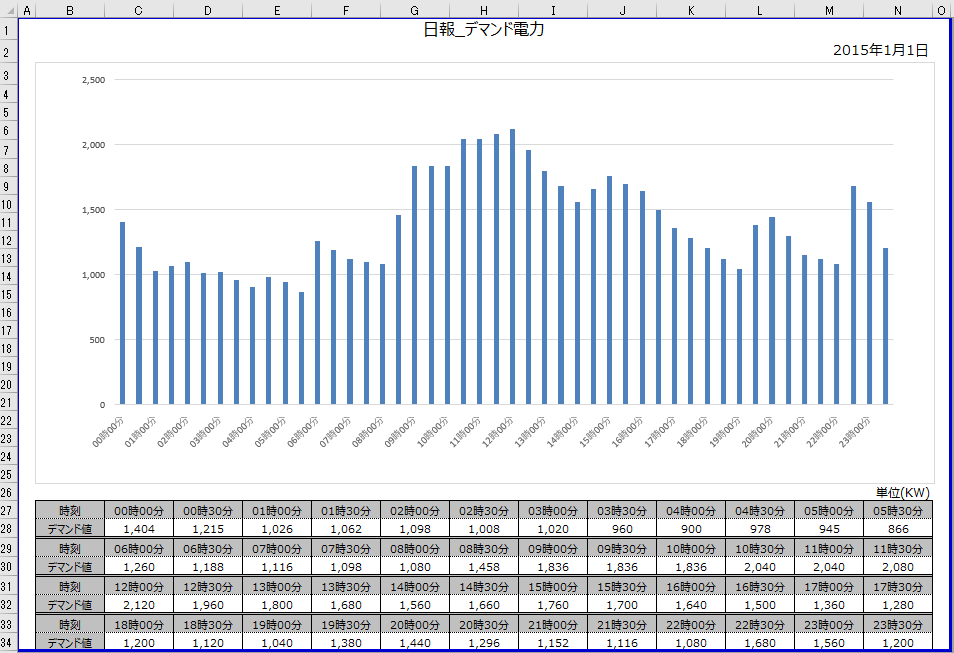
This layout is specialized for demand monitoring. A bar graph of the demand power is placed in the center of the layout, and a table showing the change in the demand power for the displayed period is output at the bottom of the graph.
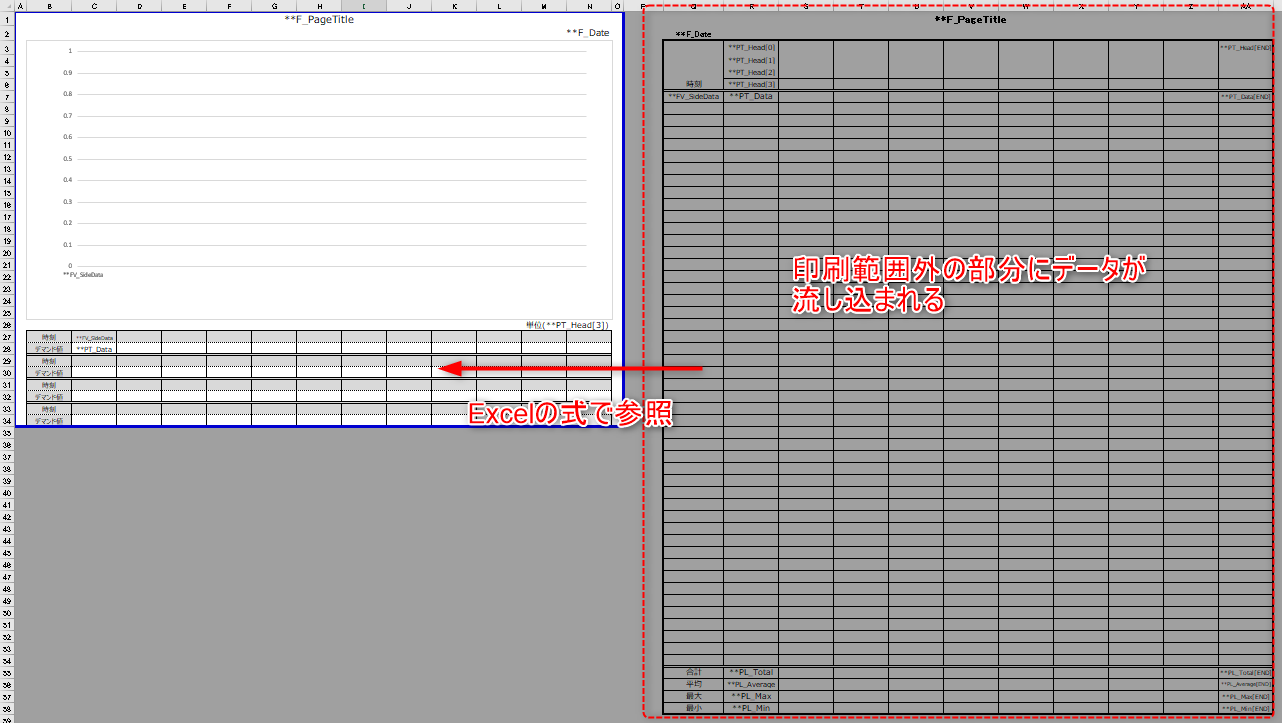
In addition, in this layout, data is entered into the area outside the print range and is set up so that it is referenced by an Excel formula from cells in the print range.
|
For information on the keywords that can be specified for layout masters, see "Layout Master" in the Action Reference. |

|
The above demand layout uses the Excel graph function in the layout master. Therefore, if you use this layout, Excel must be installed on the PC you are actually using. |