About file division unit of recording setting
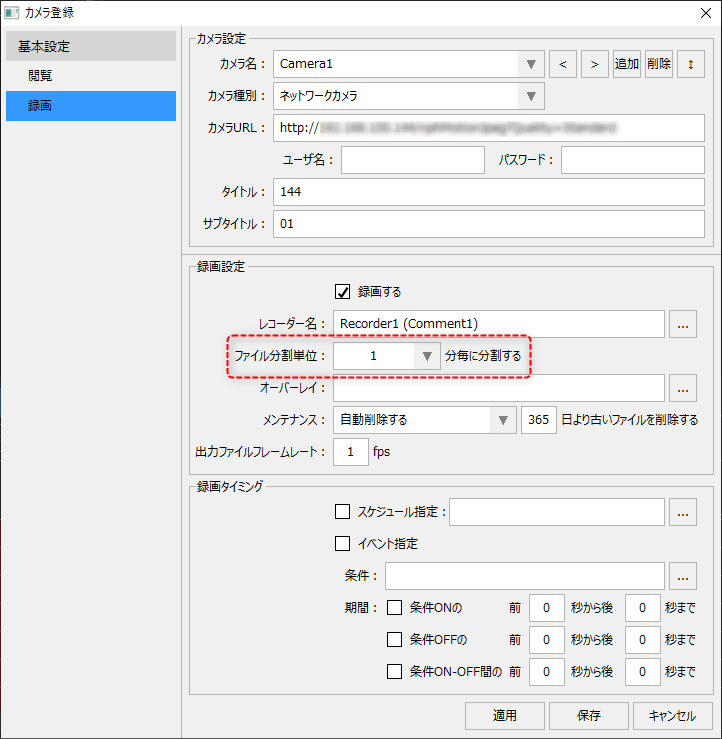
The recording settings for camera registration include settings for file division units.
(Camera registration/recording setting file division unit)
|
Recording data will be divided and saved according to the time (minutes) set above.
In most cases, there is no problem with leaving this setting at the default value of "5 minutes." However, if the division unit is set to be too long or too short, it may affect the performance of the video recorder screen. If you need to change the setting for any reason, please refer to the following precautions and set it carefully.
|
Notes on setting file division units
Important points to note |
explanation |
Precautions when using many cameras
|
If many cameras are connected at the same time, be careful not to set the division time to a short time.The shorter the division unit, the more files will be processed, which may result in a very high load on updating the display on the Video Recorder screen.For example, if you are connecting 30 cameras simultaneously and recording, limit the recording time to at least 5 minutes.
|
You can't view the most recent video being recorded.
|
Recording files are saved as files with the length of time specified in the file division unit. However, as a restriction on the recording process, the most recent recording data currently being recorded (recording data that does not meet the specified time) cannot be played back. Therefore, please be aware that if you set the division time too long, the most recent period that cannot be viewed will be long.
|
Recording file size
|
The longer the file division time, the larger the file size of each recording data. If the file size is large, it may cause a load on the file transfer process, for example, if the file transfer setting is set in the recording settings of the recorder registration. Please be careful when setting the output file frame rate (recording fps value) to a large value.
|