event
Calling StartUpdate will start the automatic update and cause events to be fired when values change.
By default, the following events occur:
event |
Defaults |
Possibility of setting |
Occurs |
Fixation |
|
Occurs |
Switchable |
|
Occurs |
Switchable |
|
Occurs |
Switchable |
|
Does not occur |
Switchable |
|
Does not occur |
Switchable |
|
Occurs |
Switchable |
|
Occurs |
Fixation |
|
Occurs |
Fixation |
|
Occurs |
Fixation |
|
Occurs |
Fixation |
To generate or not generate an event, or to change the filter parameters for each event, add an "Event Specification" filter in the "Filter" tab of the tag properties, and set the conditions for each event.
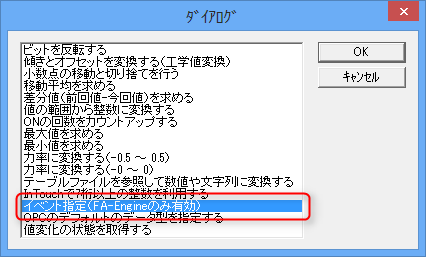
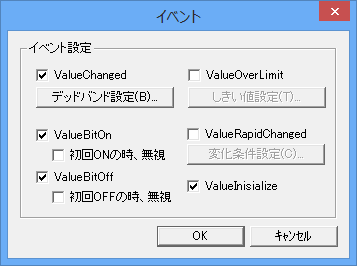
|
ValueChanged/ValueBitOn/ValueBitOff are set to occur by default. If the default settings are OK, there is no need to add an "Event Specification" filter. |
