What is Common Dialogue?
FA-Panel comes with a built-in function for popping up general-purpose dialogs such as message boxes. This function is called common dialogs.
(Message box display example)
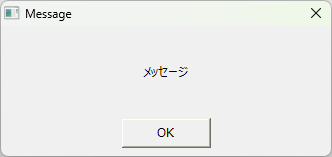
There are two types of common dialogs: "simple common dialogs" and "extended common dialogs." Simple common dialogs are general-purpose dialogs that have been available for some time, and can be easily displayed as simple message boxes or yes/no confirmation dialogs by calling common methods such as OpenMsg and OpenYesNoMsg. On the other hand, extended common dialogs are an extension of common dialogs, and can be displayed by specifying more detailed parameters. Extended common dialogs are displayed by calling the OpenDialog or OpenModalDialog common methods.
Below, we will explain each of the common dialogs.
content |
overview |
|
|
This section explains the simple common dialogs. It explains the types of simple common dialogs, how to call them, and how to customize them. |
|
|
This section explains the extended common dialogs. It explains the types of extended common dialogs, how to call them, how to specify parameters, and how to customize them. |
|
The extended common dialog is an extended function that allows you to specify more detailed parameters. The extended common dialog also includes a dialog with the same functions as the simple common dialog. |
