Mini property box settings
You can configure the mini property box by clicking the following icon at the top of Panel Editor.
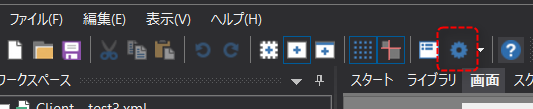
The settings are done as follows:
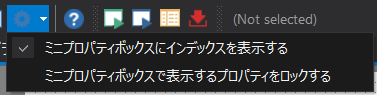
Setting items |
Contents |
Show index in mini property box |
If you enable this setting, index numbers will be displayed when multiple mini property boxes are displayed.
|
Lock properties displayed in the mini property box |
When this setting is enabled, the display will be fixed to the properties currently displayed in the mini property box.
|