Add an existing client configuration file to your project
You can manually add an existing client configuration file to your project by following the steps below.
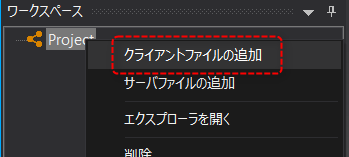
1.Right-click on the project in the workspace to display the menu and select "Add Client Files".
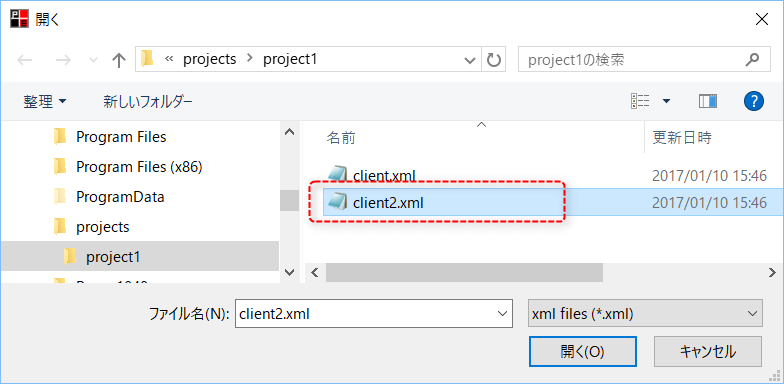
2.A file selection dialog will appear, so select the client configuration file you want to add to your project and click "Open".
|
As an example, select "client2.xml".
When you select a file, the file name of the selected file appears in the File Name field.
|
3.The existing client configuration file "client2.xml" was added to the project.
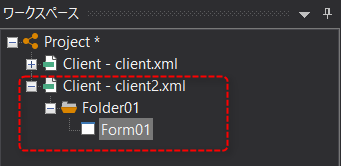
This way, your project can contain multiple client configuration files.