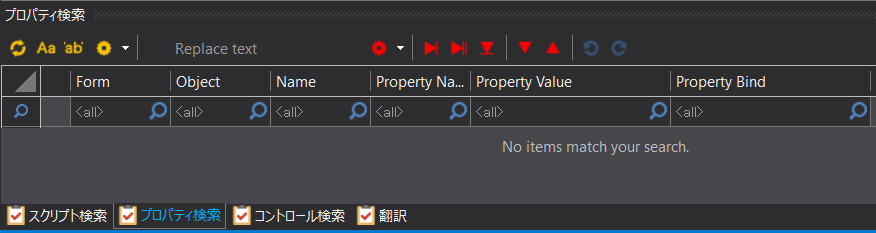
Property Search Function
We will explain how to search for properties in Panel Editor.
A property search allows you to search for a property using any keyword and replace the contents of the corresponding property setting or binding setting with a string of your choice.
You can also edit the settings of a property or binding setting directly from the list display of the search results.
For details on each operation method, please see below.
Direct editing of property search results
Property search and replace operations
■ Display of property search screen
To perform a property search, select "Property Search" from the tabs displayed in the Script view.

This will switch the search view to the property search screen. Various property search operations can be performed from the following screen.
(Property search screen)