Creating a new framework
Selecting New Framework from the menu will create a new project with a minimal set of configuration, including blank client configuration files (xml) and server configuration files (txt).
|
To create a new framework, click the Create button.
|
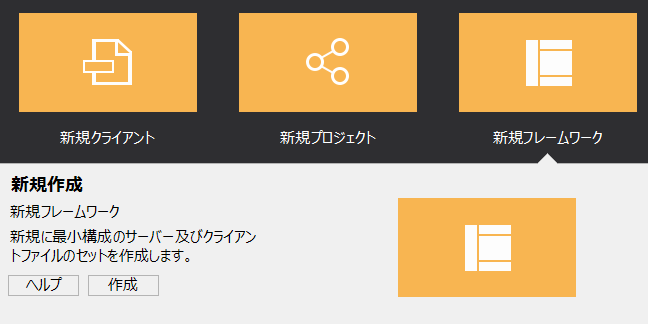
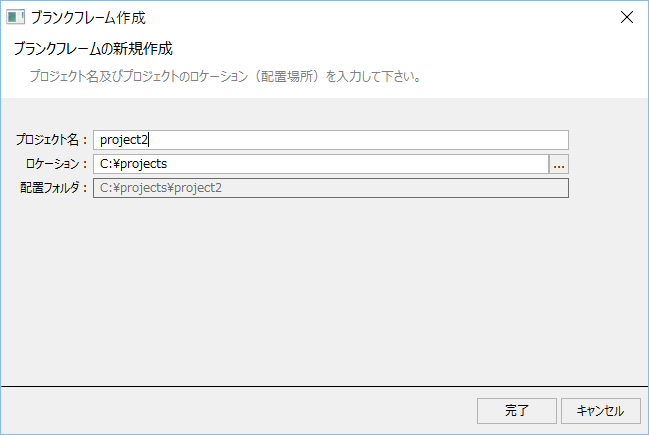
When you click the Create button, the following dialog will appear.
|
In Project Name, enter the name of the project you want to create.
For Location, select the folder where you want to create the project folder. A folder with the project name will be automatically created under the folder specified here. You can check the path of the folder that will be created by viewing the "Deployment Folder" display.
The above is an example where the project name is "project2".
After entering the required information, click the Finish button. |
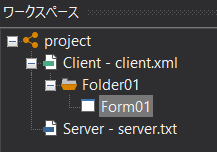
When you perform this operation, a folder with the project name and subfolders will be automatically created under the location folder specified here, and a minimal set of client configuration file (client.xml) and server configuration file (server.txt) will be automatically generated in the project folder.
When you create a new framework, the workspace will look like this:
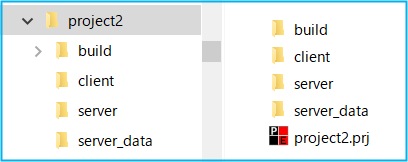
Also, if you open the project folder in Explorer, you will see that the following folder structure has been automatically generated.
You can use these folder structures as templates.
|
The project file (project name.prj) is stored in the project folder.
The client configuration file (client.xml) is stored in the "client" folder. The server configuration file (server.txt) is stored in the "server" folder.
|