Creating a New Project
Selecting New Project from the menu will create a new blank project file (prj file).
|
To create a new project, click the Create button.
|
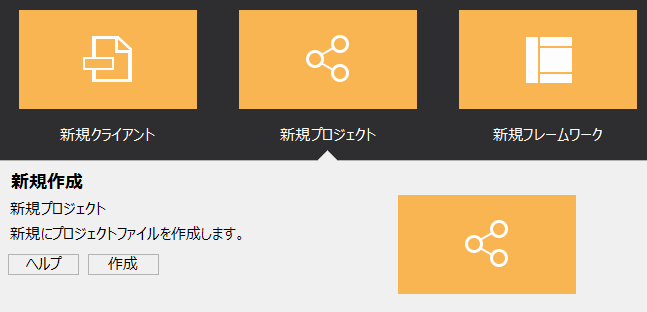
When you click the Create button, a file selection dialog will appear.
|
Select the folder in which you want to create the project, enter the project name in the file name field, and then click the "Open" button.
In the example on the left, the name "project1" is specified.
|
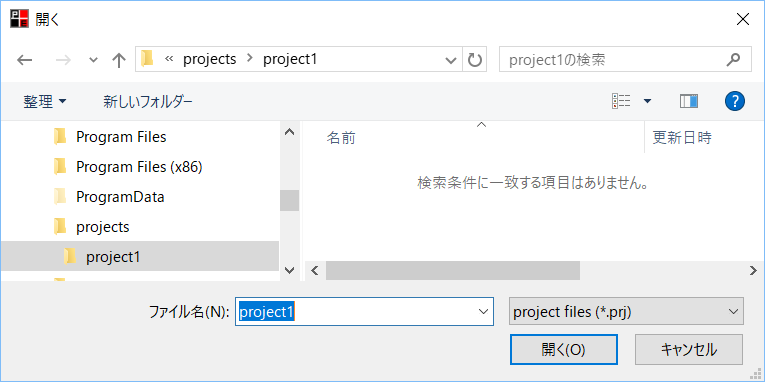
When you perform this operation, a blank project file (prj file) that does not contain any configuration files will be generated in the folder specified here. In this example, a project file with the file name "project1.prj" will be generated (Note: At this time, no folder will be created. A file with the specified project name will be generated in the specified folder).
When you create a new project, a blank project that does not contain any files is created.
You can start with a blank project and then manually add client and server configuration files.
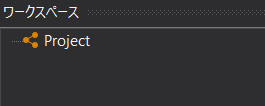
The workspace will look like this:
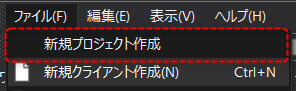
This operation is equivalent to "Create new project" in the File menu.
|
For details about projects, such as how to add configuration files to a project, see "Project Operations". |
