About the Script Editor
"Script Editor" is used to write scripts. Each object has one "script page" as an area for editing scripts, which can be opened and edited in Script Editor.
(Script Editor)
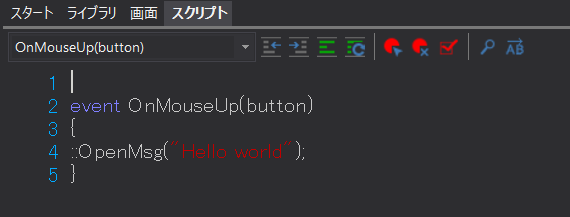
Normally, the script editor can be displayed by selecting the "Script" tab from the main view of Panel Editor. The script editor always automatically displays the script of the currently selected object. If you want to switch to editing the script of another object, you can do so automatically by clicking a control on the form or the form itself.
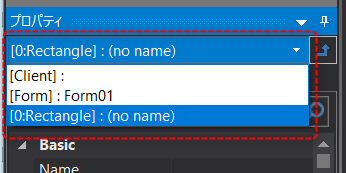
Alternatively, you can switch the target script page by selecting the object you want to edit from the combo box on the property page.
|
In the example on the left, a Rectangle object is selected.
|
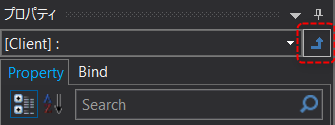
If you want to edit the route script, click the arrow icon below to the right of the combo box on the property page.
|
|
|
For the object you want to edit the script forShift double-clickThis will display the script editor for that object. |

|
Scripts are text data. You can edit the script using a text editor such as Notepad, which comes standard with Windows, and then copy and paste it into the script editor. |
|
The amount of script that can be written on the script page of one object is subject to the following restrictions:
- Must be within 10,000 lines ・The total number of characters in the code must be within 256Kbytes.
|

|
In Panel Editor version 6 and later, selecting a folder from the property page will not switch to root. |