Where to write the script (script page)
Each object can have a script.
In the example below, "root", "Form1", "Form2", "Control1", and "Control3" have scripts.
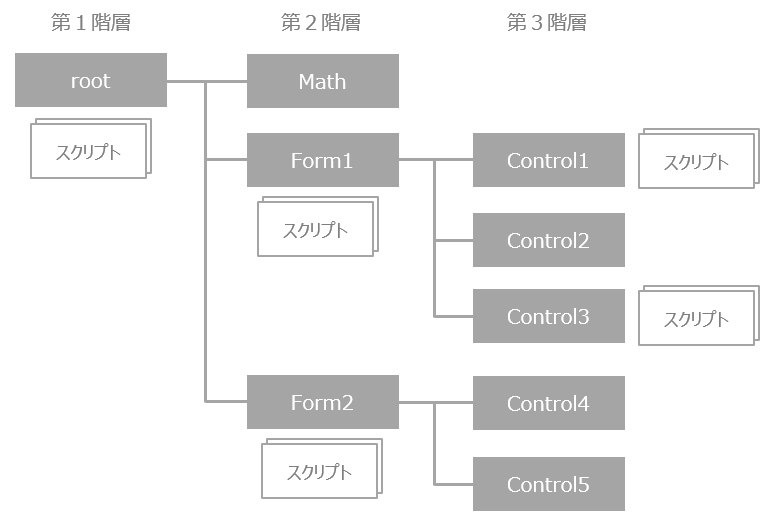
Each object has one "script page" as an area for editing the script.
To edit a script page, use the "Script Editor." Writing scripts for events, defining global variables, and writing user-defined functions are done for each page of the target object.
In addition to processing its own objects, each script can access the properties, methods, user-defined functions, and global variables of other objects using relative or absolute paths. The root object is a special object that always exists regardless of which form is open, and if you define a global variable or user-defined function in the root, you can always refer to and use it from any control.