overview
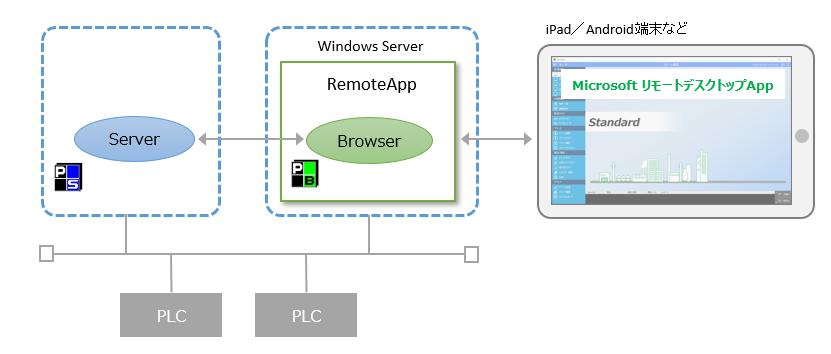
You can display the client's screen on a tablet such as an iPad or an Android device.
With this method, you can use the "RemoteApp" provided by the Windows Server remote desktop service to display the client screen on the "Microsoft Remote Desktop" app on your iPad or Android tablet.
(Conceptual image)
More information on this matter can be found on the FAQ page of our website (click to open in a separate browser).
"Is there a way to monitor using an iPad/Android device?"
|
This method requires a separate Windows Server. A RDS CAL is required to use the Remote Desktop Service. A CAL is also required to connect to the RD Session Host from the client. For details about the license, please contact Microsoft. |
