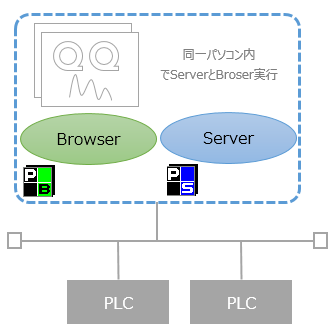
Example of operation configuration
This configuration is a standalone configuration with only one PC, and is the minimum operational pattern in which Panel Server and Panel Browser are started simultaneously.
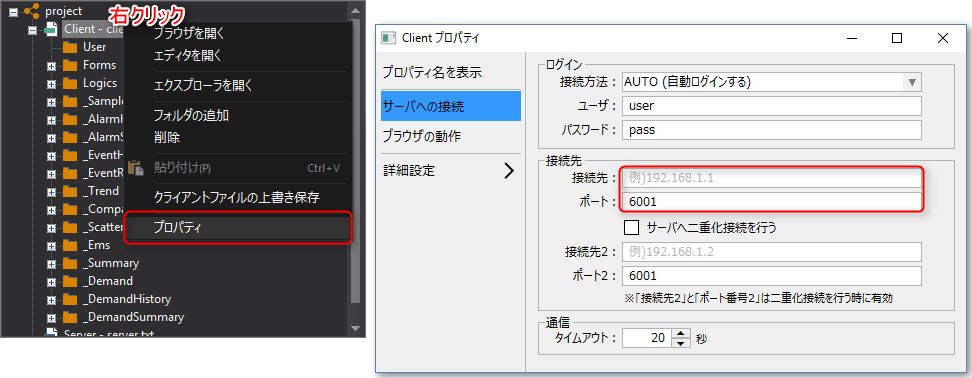
Connection settings between Panel Server and Panel Browser
If you are operating on a single PC, set the following to connect between Panel Server and Panel Browser.
Property Name |
Setting contents |
Property Overview |
Connect to (PSNode) |
Blank or Server IP address |
The IP address of the server. If you run the server and the browser on different PCs, you must specify the server's IP address or node name. If you run them on the same PC, you can leave it blank.
Please note that there are some points to keep in mind when setting multiple IP addresses on one PC, such as when using multiple network cards. For details, please refer to "Points to note when running Panel Server and Panel Browser on one PC" in the Panel-Interface settings.
|
port (PSPanelPort) |
6001 |
The server port number. The default port on the server side is 6001. |