Manual inclusion of the Demand Report Screen Library
This section explains how to manually embed the Demand Report Screen Library.
(Demand report screen)
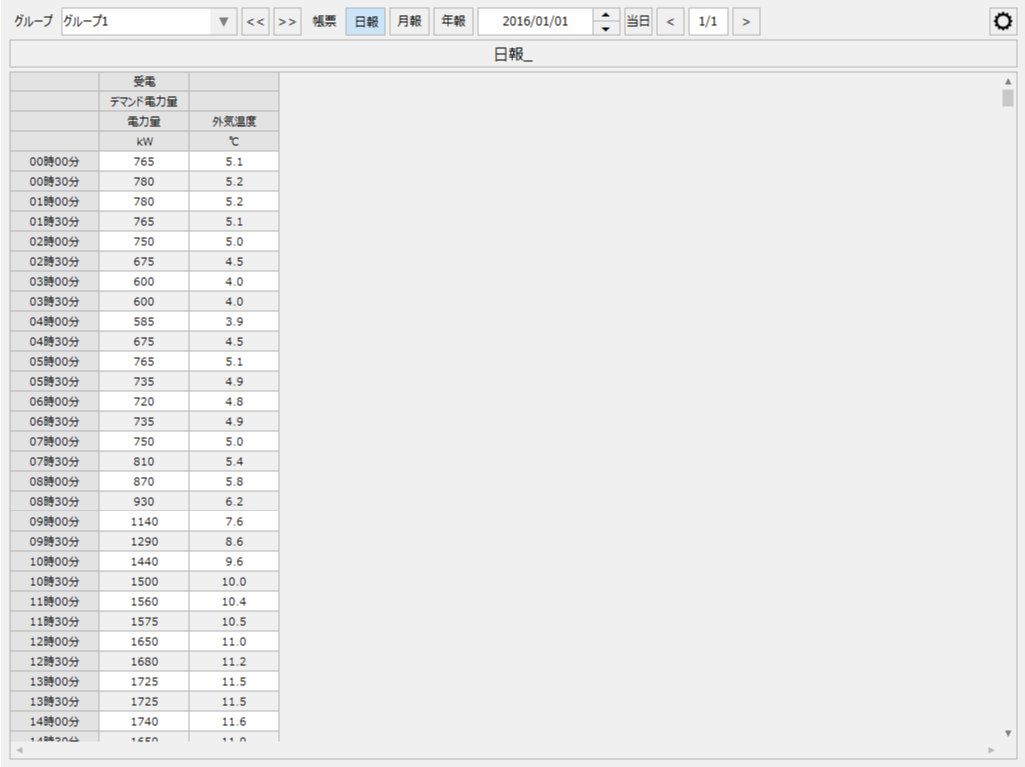
|
The Demand Report Screen Library assumes that the Demand Monitoring Screen Library is already installed. For instructions on manually installing the Demand Monitoring Screen Library, please refer to "Manual Installation of the Demand Monitoring Screen Library". |

content |
overview |
Added demand report screen library
|
This section explains how to manually embed the Demand Report Screen Library. Please refer to this procedure if you did not select the Demand Report in the wizard when creating a new project, or if you want to embed the Demand Report in an original project that does not use the standard framework.
|
Importing server settings for demand reports
|
This section explains how to import server settings (actions, events) from the sample project included in the screen library. |