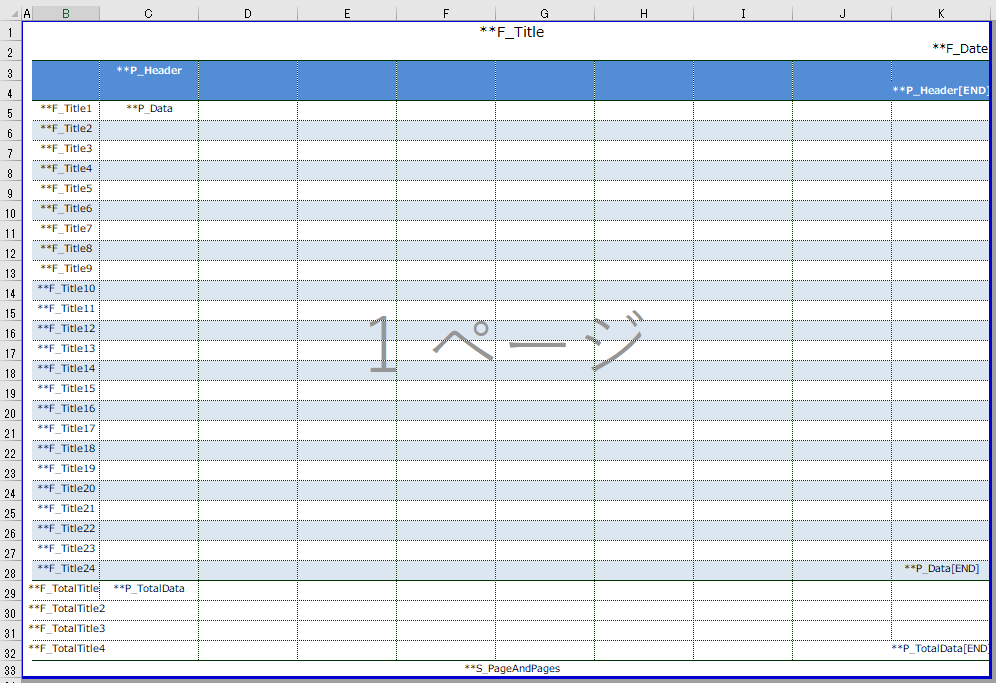
About Layout Master
The printing of reports for the energy management function is done via Excel. The print layout is defined in the layout master created in the Excel file.
The energy management layout masters are stored in the following folder:
(Project folder) \server\config\ems
File name |
Commentary |
EMS_PrintLayout_DAY.xls
|
This is the layout for printing daily graph data. |
EMS_PrintLayout_WEEK.xls
|
This is the layout for printing graph data on a weekly basis. |
EMS_PrintLayout_MONTH.xls
|
This is the layout for printing graph data by month. |
EMS_PrintLayout_YEAR.xls
|
This is the layout for printing graph data by year. |
EMS_PrintLayout_YEARS.xls
|
This is the layout for printing graph data for multi-year reports. |
EMS_PrintLayout_RANKING.xls
|
This is the layout for printing ranking graph data. |
Editing Layout Masters
The layout master is an Excel file itself and can be freely edited in Excel.
The layout master specifications are the same as those for the daily report function. For details on the form layout, see "Editing the form layout" in the daily report.
(Daily report layout for energy management)