Trend graph screen library
FA-Panel provides a screen library for trend graphs.
The following two functions are available:
Screen Library Types |
overview |
|
|
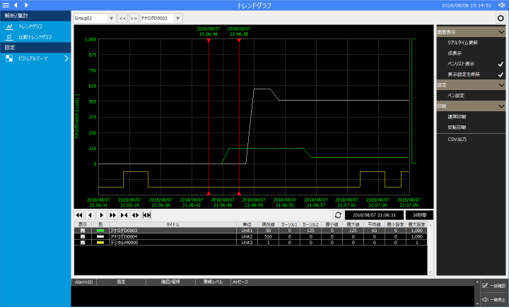
This is a screen library for displaying trend graphs. It supports both real-time trends and historical trends.
(Trend graph screen)
|
|
|
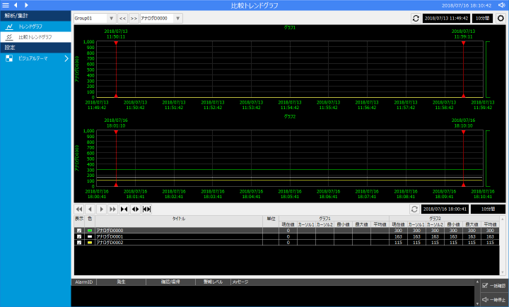
This is a screen library for comparing two trend graphs. The two graphs can be displayed side-by-side or overlaid.
(Comparative trend graph screen)
|
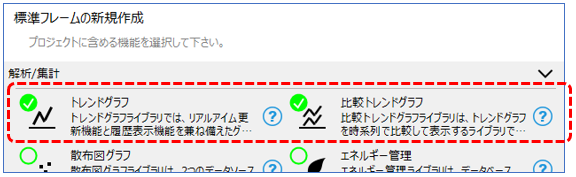
When using the trend graph screen library, you can automatically generate a project with the required screen library built in by selecting the desired trend graph function from the wizard screen of the standard framework.
(Standard framework wizard screen)
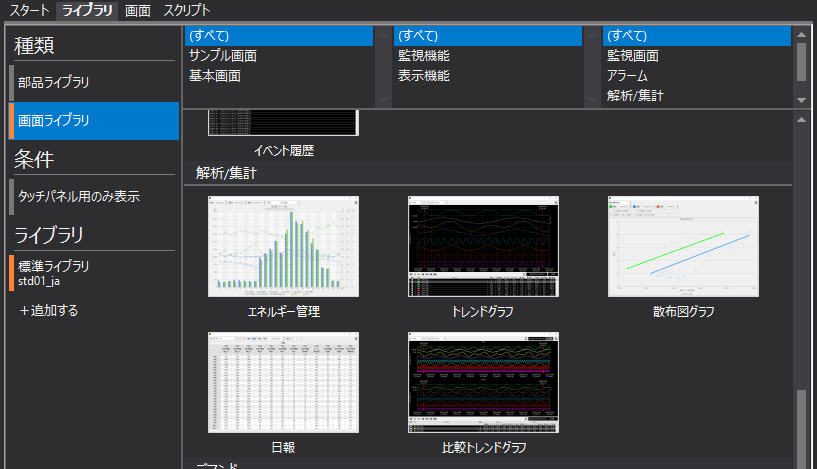
Alternatively, you can manually include and use the desired screen library from the Libraries tab in Panel Editor.
(Library tab in Panel Editor)
|
The "Trend graph" and "Comparative trend graph" in the screen library are built using Histrical data graph control. |
