About server duplication configuration
The Panel Server that operates the operation monitoring can also be operated in a server duplication configuration.
If you are using a duplicated server configuration, follow the steps below to set it up.
Step 1) Edit the operation monitoring system configuration file
Edit the operation monitoring system configuration file (systeminfo.cfg) with a text editor and change the redundancy parameters.
Step 2) Configure Panel Server for duplication
You need to set up a redundant interface for Panel Server and configure redundant settings for each action individually.
Duplex setup procedure
Step 1) Edit the summary master of the operation monitoring summary action
Open the operation monitoring system configuration file "systeminfo.cfg" in a text editor and change the duplication parameters.
The system configuration files for operation monitoring are stored in:
(Project folder)\server\config\machinestatus\systeminfo.cfg
Below is an example opened in Notepad. The default settings are as follows:
(Default setting)
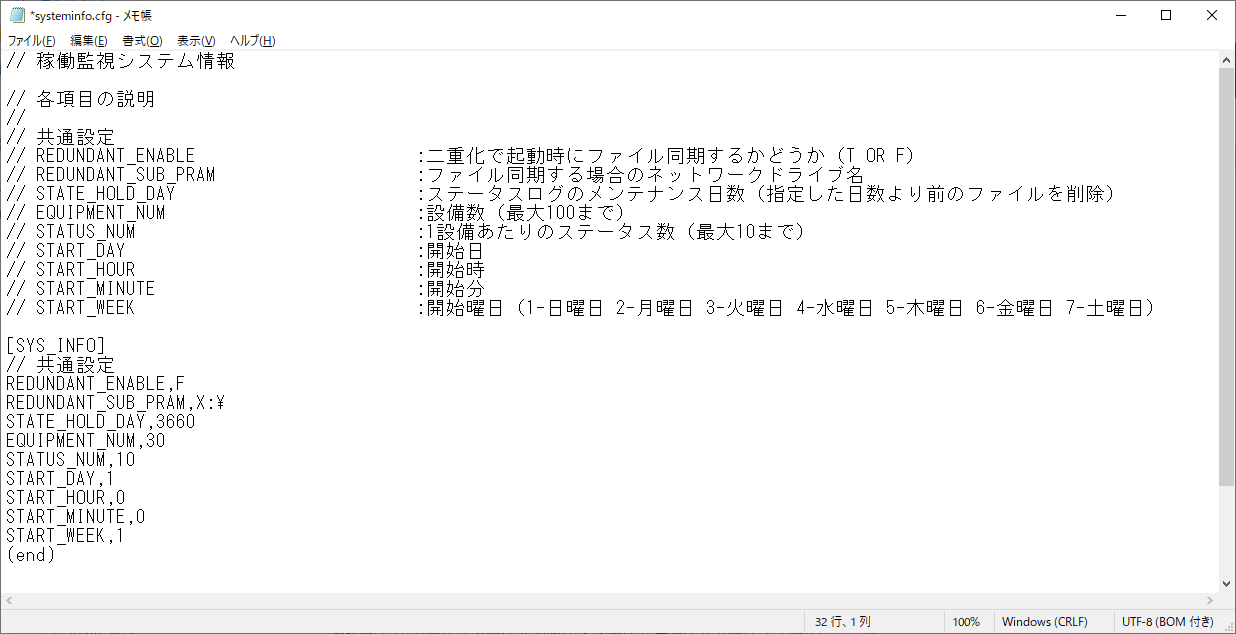
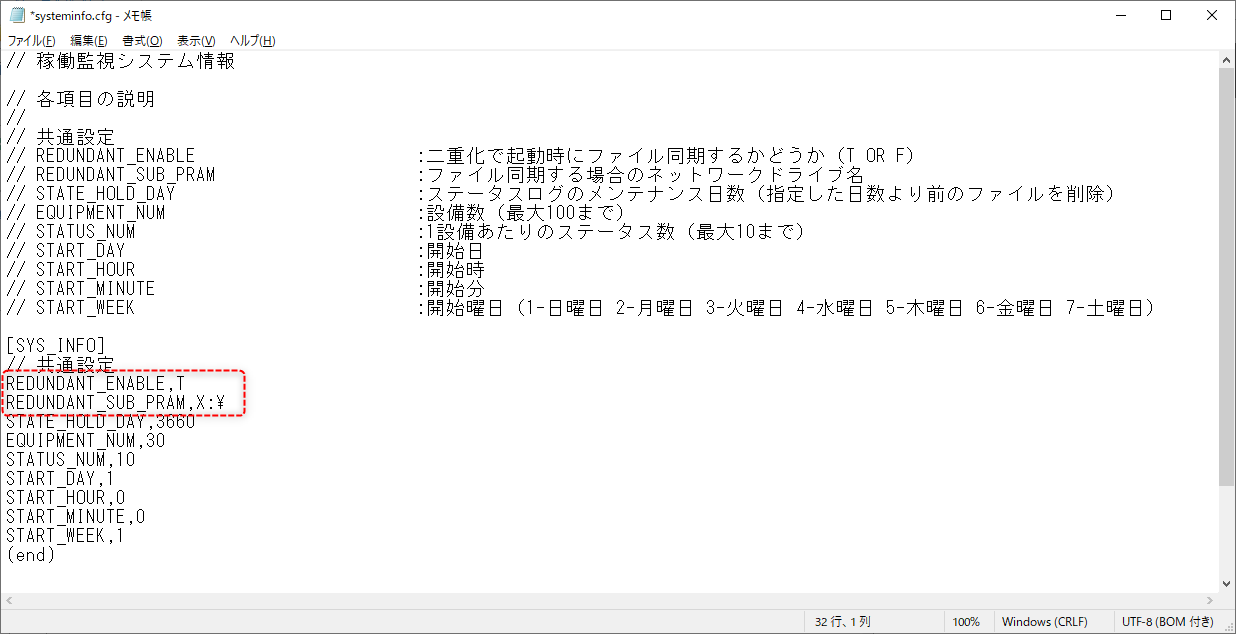
Edit the parameters for duplication. The following is an example where the network shared drive for duplication is set as "X:".
•REDUNDANT_ENABLE,T
•REDUNDANT_SUB_PRAM,X:\ ・・・The trailing "\" is required
(Example of change)
Step 2) Configure Panel Server for duplication
You need to set up a redundant interface for Panel Server and configure redundant settings for each action individually.
For details on how to set this up, please refer to "Operation with server duplication" in the "System Installation and Operation" section of the Monitoring System Construction Guide.
Please note that the server name is set to Panel Server.Please do not set up duplicate public folders for the following folders, as they are duplicated internally..
Public folders to exclude from duplication settings
•server_data_cnf_readonly