Create your own project
This section describes an example of creating your own project without using the standard framework.
To create your own project, go to the start menu of Panel Editor. The specific steps are explained below.
■ Work procedure
1.First, create a folder in Explorer etc. to save the project. As an example, let's assume that a folder called "C:\work" has been created.
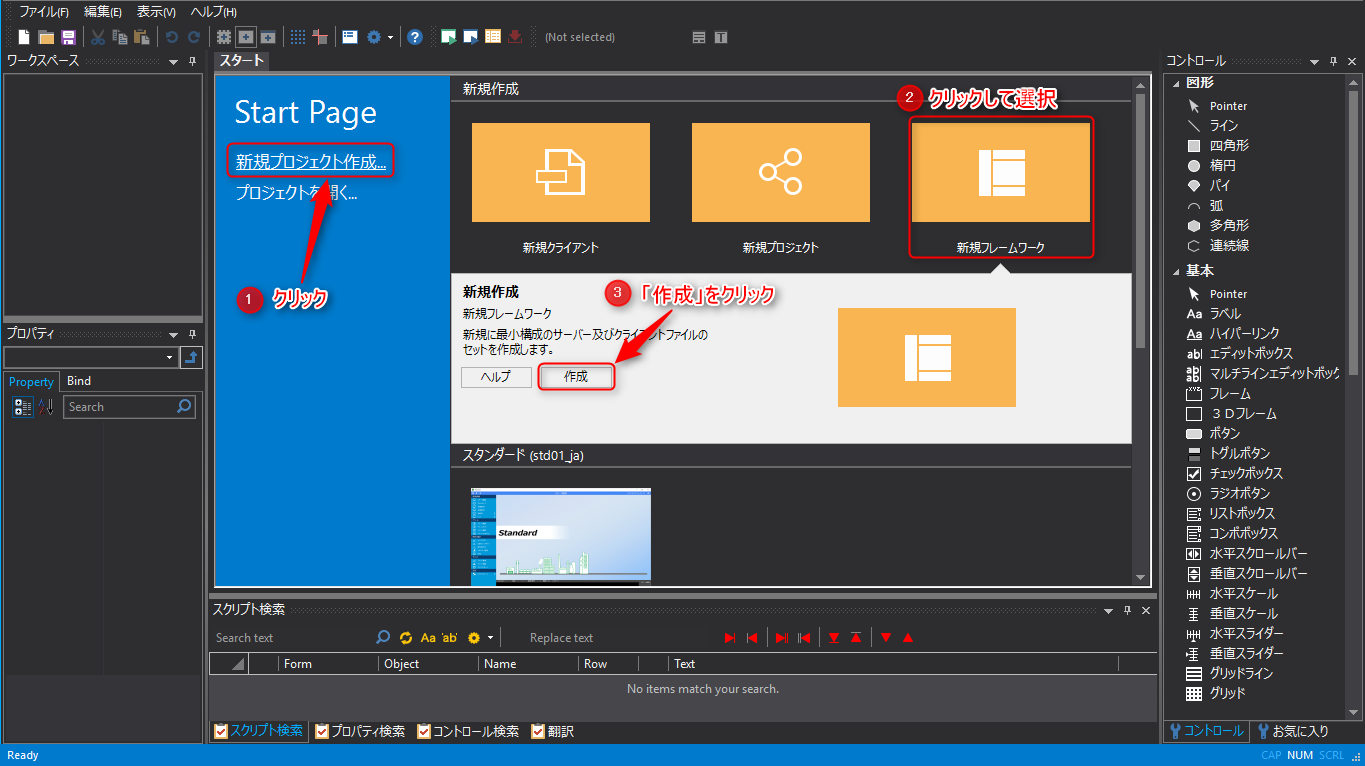
2.Start Panel Editor and click "Create a new project". The framework that will be the base of the new project will be displayed in the right area, so select "New Framework" and click the "Create" button. A confirmation screen will be displayed, so select "Yes".
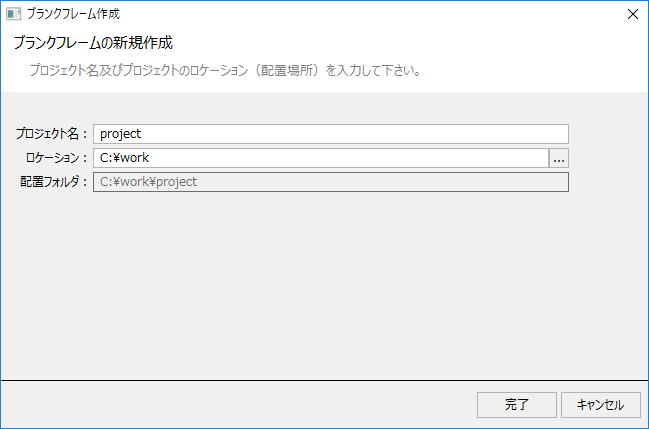
3.The following dialog will be displayed. Select the folder in which to create the project in the location, enter the project name, and click "Finish".
4.This will generate a skeleton project for the new framework and launch Panel Browser.
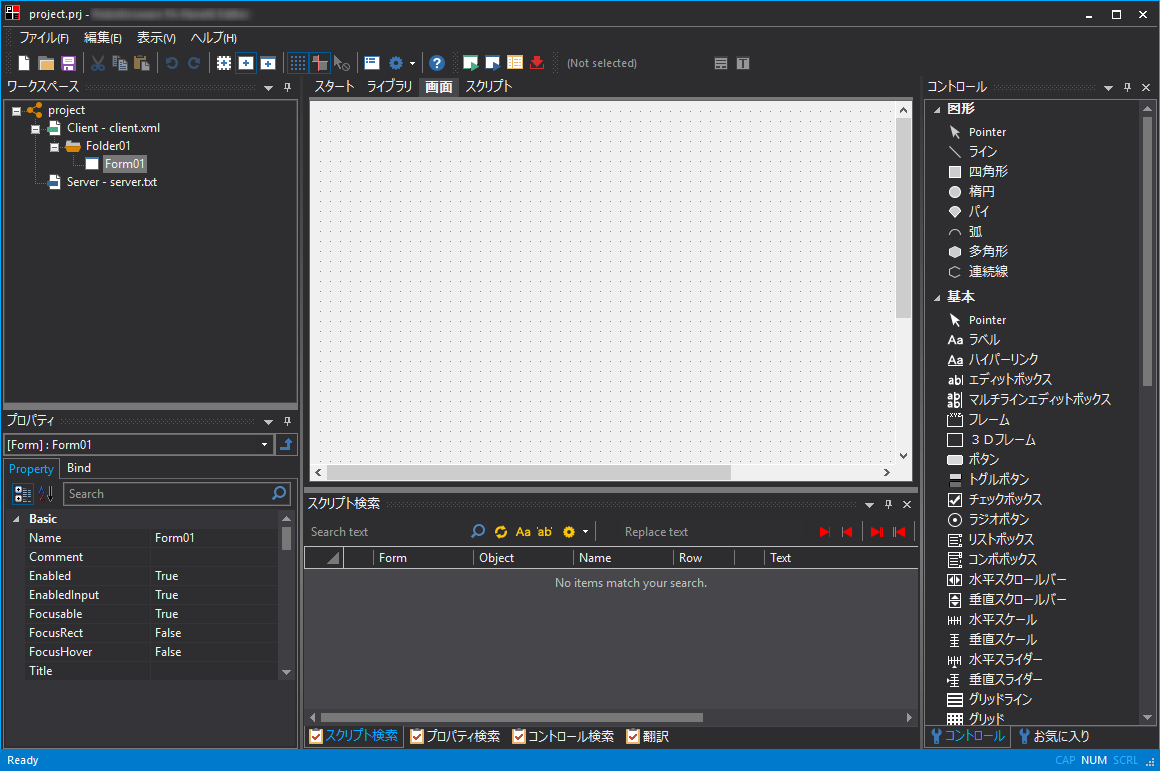
The tree selection view in the upper left of the screen displays the client configuration file (client.xml) and the server configuration file (server.txt).
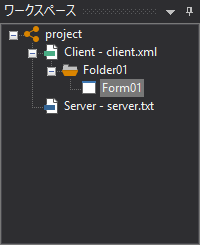
In addition, in a blank project, folders are automatically created in the project folder with the default recommended folder structure.
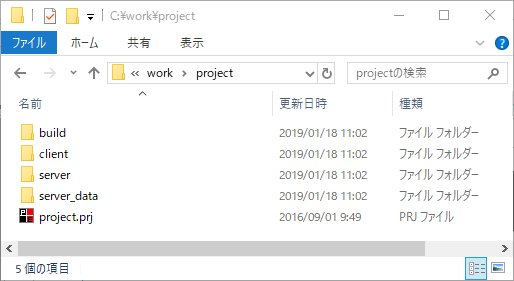
The file with the extension "prj" is the project file (in the example above, "project.prj").
The purpose of each folder is as follows:
folder |
Applications |
build |
This folder is used by the Panel Editor setup function to dump all files into this folder when the client screen is executed.
|
client |
This folder contains the client setting file and the images, sounds and setting files required to run the client screen.
|
server |
This folder contains the server configuration file and other configuration files required for the server.
|
server_data |
This folder stores the data that is output when the server is running. It is created for the first time when the server is running. If you want to clear the saved data, delete this folder.
|