Panel ServerLogin authentication
Panel Browser communicates with Panel Server via Panel-Interface and retrieves various data such as tags, alarm information, and historical data, and displays it on the screen.
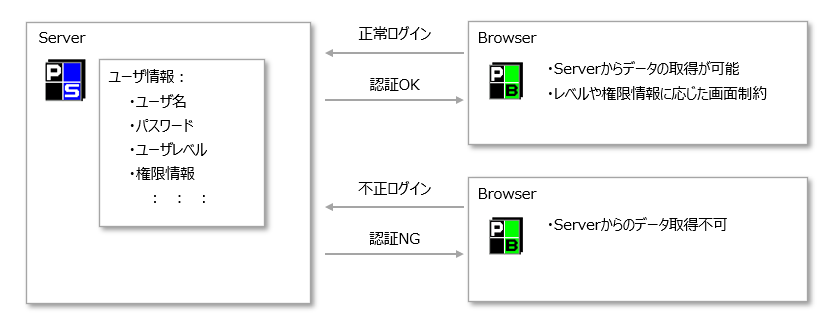
Here, when Panel-Interface connects to Panel Server, login authentication is always performed using a user name and password, regardless of the operating mode.
All login requests from users not registered in Panel Server or with an incorrect password will be denied authentication and the connection will be rejected.
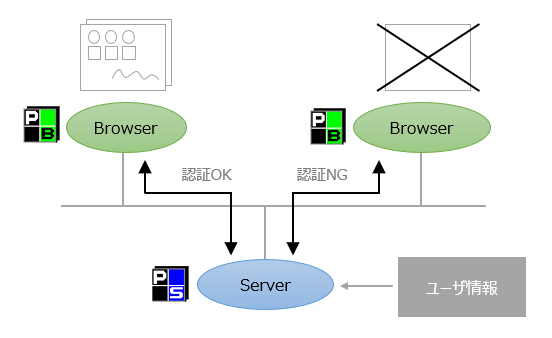
If you are not logged in correctly, the following functions will be unavailable.
1.Panel Browser cannot receive information from Panel Server, such as tags, alarms, historical data, databases, files, etc.
2.The following methods and controls for inputting and outputting external information will no longer be available.
•Route Methods:LoadTextFile / SaveTextFile / LoadCsvFile / SaveCsvFile / SavePrintText
•Grid control Method:LoadCsvFile / SaveCsvFile
•DirectQueryDb control
•VideoPlayer Controls / VideoRecorder Controls
3.Use of ActiveX interface to input and output data in cooperation with VisualBasic etc.
In other words, unless you log in, Panel Browser will not be able to input or output any information from outside its own process.
|
The number of FA-Panel connection licenses is checked by this user authentication. For example, in the case of FA-Panel for 10 licenses, authentication will be successful up to the 10th connection, but authentication will fail from the 11th connection onwards. |

Project types and user management functions
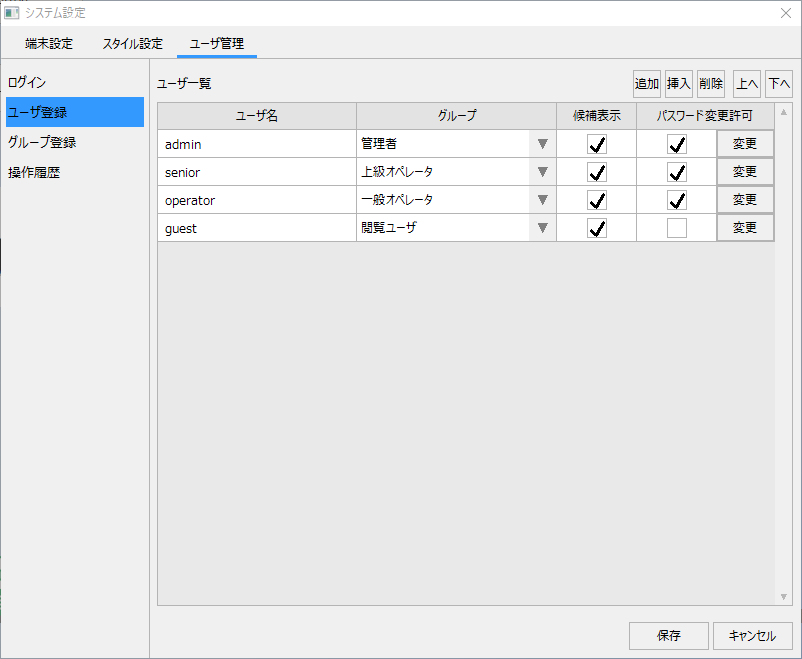
The standard project of FA-Panel comes with a built-in "user management function" as standard.
(Example of the user management screen for a standard project)
|
By using the user management function, you can set functional restrictions according to the user's access permissions and level. The user management settings screen can be displayed while the system is in operation, and you can freely add and delete users, edit permissions, and so on while the system is in operation. In addition, user information registered from the user management screen of the standard project is saved on the server side as Panel-Interface login information.
For details about user management for standard projects, please refer to "User management (login) for standard projects" in the Monitoring System Construction Guide. |
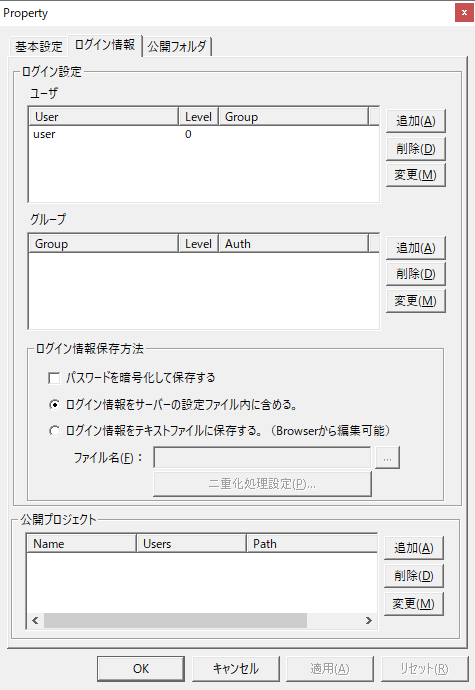
On the other hand, if you are not using the standard user management function, such as in an original project that does not use the standard framework, you will need to register login settings from the settings screen (login information) of Panel Server Panel-Interface.
(Login information settings for Panel-Interface)
|
The above is provided as a setting for Panel Server, and user information must usually be manually registered before starting operation of the system (when Panel Server is offline).
In addition, in the initial settings of Panel Server, user information with the user name "user" is pre-registered, and "user" is also registered as the initial value for the login-related properties on the Panel Browser side. If you do not need to be particularly concerned about login (for example, if you want to log in automatically without the need to switch users or restrict functionality by permissions), you can connect using this initially registered user information as is.
For details about user management for your own project, please refer to "User management (login) for your own project" in the monitoring system construction guide.
|
|
If you want to know the difference between a standard project and a custom project, please refer to the descriptions in "Creating a Project" and "Standard Projects and Custom Projects". |