User management for standard projects
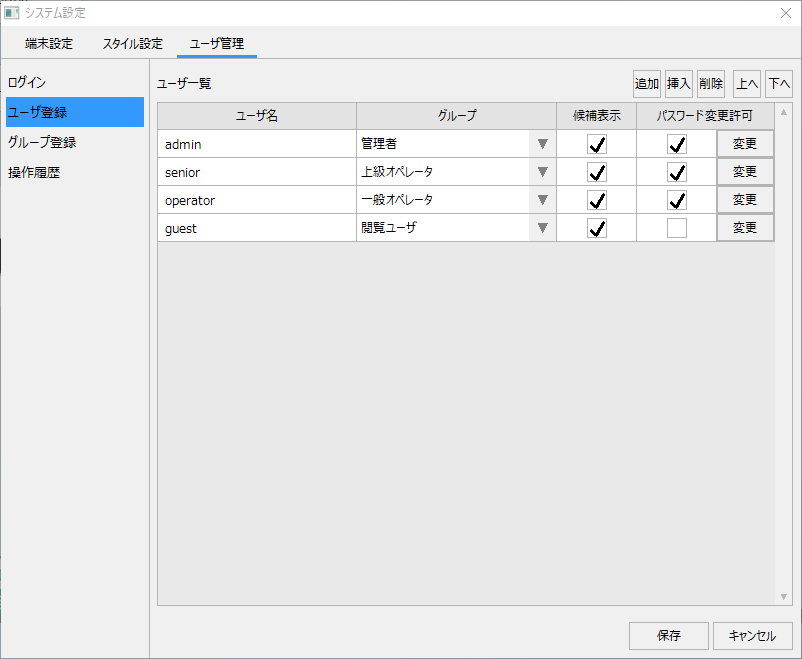
The standard project has a built-in user management function, and you can register and edit user information during operation from the User Management tab on the system settings screen.
For details about user management for standard projects, see "User Management (Login) for Standard Projects" in Creating a Project.
If you would like to know more about user management (what you can do with this function), please refer to the description in "Introduction to user management functions".
(Example of standard user management screen)
|
For information on how to set up Panel Browser runtime execution and operational settings such as automatic login, see "Client runtime execution" in System Installation and Operation. |
