Automatic Update Features
Communications for automatic updates have the following characteristics:
•Automatic updates will start by calling StartUpdate (※Do not call if not necessary).
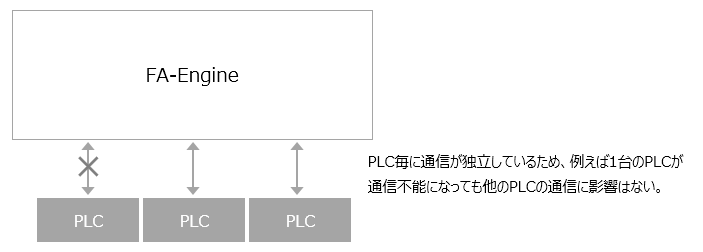
•Communications for each PLC are independent and processed in parallel, so there is no impact on the communication load with other PLCs. Even if the number of connected PLCs increases, the communication speed will not change.
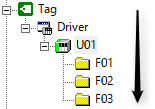
•Communication is performed on a folder-by-folder basis. If multiple folders are defined, communication is performed in order.
|
The ValueRefresh event is called each time a folder-level communication ends. |
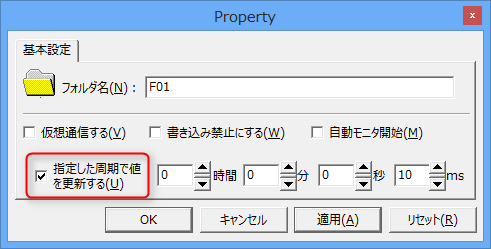
•Only folders that have the "Update values at the specified interval" option checked in their properties will be automatically updated.
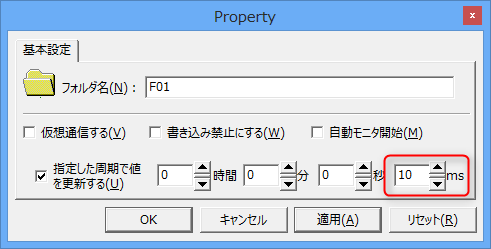
•The frequency of automatic updates is set by the update frequency of the folder properties.
•It generates various events related to communication. For example, the ValueRefresh event is called each time a folder-level communication ends.
•You can quickly get the cached value using the GetVal method.
•Communication errors can be caught by the “ErrorOccured” event.