About the Manual Settings tab
The Manual Settings tab is used when writing complex conditional expressions that cannot be defined using the Simple Settings tab.
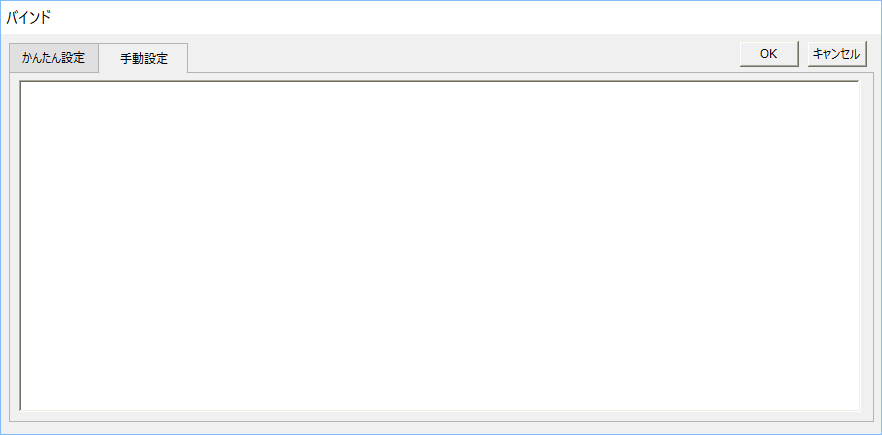
On the Manual Settings tab, you can enter the binding format directly in the editing area.
There are three types of bind formats, "Input bind format," "Output bind format," and "Input/Output bind format," depending on the direction of processing. Depending on the characteristics of the target property, you need to write the appropriate format according to your purpose, such as simply getting a value from a tag to a property (IN), writing a value from the property to a tag (OUT), or performing bidirectional communication for both reading and writing (INOUT). For details on each bind format, see the description of each bind format.
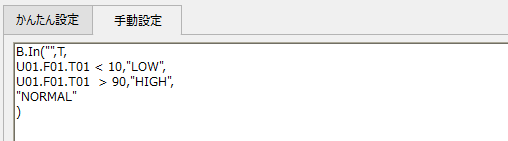
Furthermore, if you open the Manual Settings tab again after making settings from the Easy Settings tab (after saving by clicking the OK button), the binding format that was automatically generated by the Easy Settings tab will be displayed in the Manual Settings tab.
The edits made on the Manual Settings side will also be reflected on the Easy Settings side if the edits are in a format that can be expressed on the Easy Settings side.
|
If the content edited on the Manual Settings tab cannot be expressed on the Easy Settings tab, the settings will not be displayed even if the Easy Settings tab is opened. |
