Script Editor basic operations
In the script editor, you can perform basic operations from the toolbar at the top of the editor.

|
This combo box displays a list of events that can be added to the object currently being edited. When you select an event from the combo box, the event is automatically added to the script. Note that this combo box only displays events, not user-defined functions. |
|
Inserts a tab at the beginning of the selected line and indents it. Tabs are inserted as many times as you click. If multiple lines are selected, all selected lines will be indented at once. |
|
Moves the indentation back one level (deletes one tab at the beginning of the selected lines). The tab at the beginning is deleted and the indentation is undone as many times as you click. If multiple lines are selected, the indentation of all selected lines will be undone at once. |
|
"//" will be inserted at the beginning of the line where the cursor is currently located, commenting it out. If multiple lines are selected, all selected lines will be commented out at once. |
|
Uncomment the selected line. If multiple lines are selected, uncomment all selected lines at once. |
|
Sets a breakpoint on the selected line. Clicking again on a line that already has a breakpoint set will remove the breakpoint. |
|
This will clear all breakpoints at once. This will also delete all breakpoints set in the script code of other objects. |
|
This is a function that simply checks the contents of the script. Clicking this icon will check the syntax of the currently displayed script. If there is an error in the syntax, a dialog box will appear explaining the error. If the syntax is correct, no dialog box will be displayed (i.e. nothing will happen). However, this check is only a syntax check of the script, and even if this check is OK, it does not necessarily mean that the script will run correctly. Be sure to check that the script actually runs correctly from Panel Browser. |
|
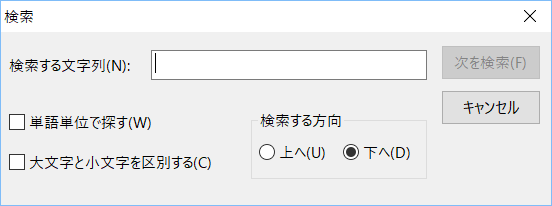
Displays the Find dialog, allowing you to search for a string within the script.
|
|
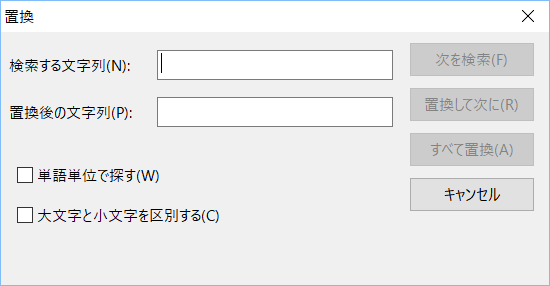
Displays the Replace dialog box, allowing you to search for and replace strings within a script.
|
|
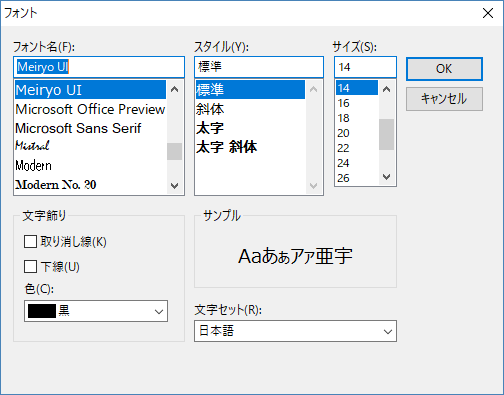
You can change the font and font size of the script editor.
|





|
The simple script check only checks the script syntax. For example, it does not check whether the objects referenced in the script actually exist, or whether the variables used in the calculations are correctly declared. To make a final check to see if the script is implemented correctly, run the script in Panel Browser. |

|
In addition to the search dialog above, Panel Editor has a powerful search and replace function. In addition to script code, you can also search and replace by objects and properties. For more information, see "Advanced editing functions of Panel Editor". |
