What is event history/real-time event?
One of the alarm functions is "events." Events are a function for recording the history of equipment operation, etc.
Generally, a monitoring and control system requires a function to record the operation history of the monitored equipment such as start/stop, and to display the past history on the screen. FA-Panel provides "Event History" and "Event Real Time" as functions for displaying the operation/stop history of equipment.
Below are some specific examples based on the standard framework.
|
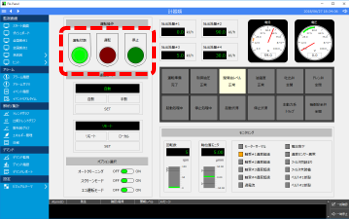
Typically, operators use a graphic screen to operate the equipment and check the operating status of the facility.
The current status of equipment, such as operation/stop, can be known from lamp displays on the monitoring screen. However, there are times when you want to check the history of how the equipment was operated in the past.
|
|
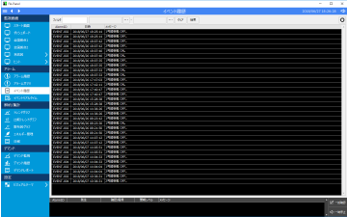
In such cases, use the event history, which allows you to view the operating status of pre-registered devices as a history.
Please note that the event history screen is not dynamically updated, so you will need to click the "Refresh" button to display the latest information.
|
|
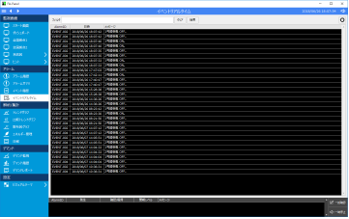
That's why we have a real-time event screen.
The real-time event screen is automatically updated with the latest event information.
Use this screen when you want to see changes in the device's operation on the screen in real time.
|
Event History Screen
Event history is a function that displays the past history information of events in a list format. In the event history of FA-Panel, you can narrow down the history information of past events by specifying any string in the filter, or search by specifying a date range.
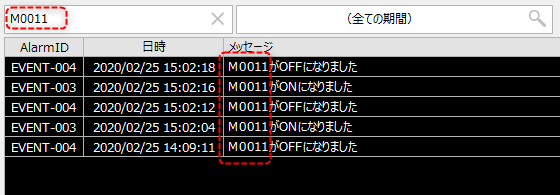
For example, if you have the following history displayed and you want to narrow down the search to only events that contain "M0011" in the message, enter "M0011" in the filter and perform a search.
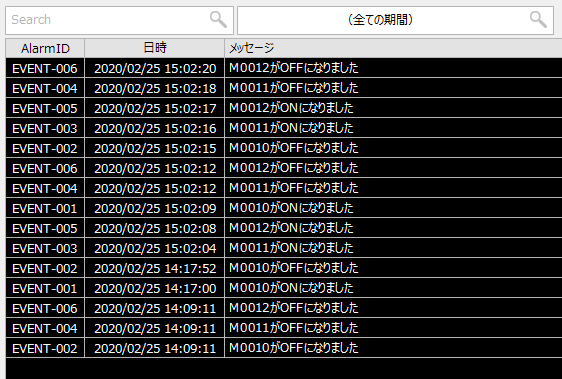
The list will then be narrowed down to only event histories that contain "M0011" in the message.
Event real-time screen
When monitoring events such as the operation and shutdown of equipment, you may want to dynamically display changes in the status of the equipment, such as when the equipment goes into operation or stops, on the screen. In such cases, the latest information must be displayed automatically without the need to click a refresh button on the screen. FA-Panel's real-time event display allows you to display the occurrence status of registered events in real time.
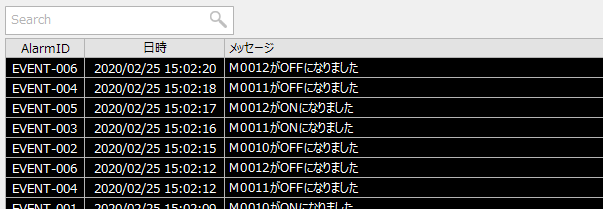
In addition, the real-time event screen also supports filtering.